
How to import and enroll students in bulk in RootWright LMS
To add many students at once in RootWright LMS, go to People → Students, click Import CSV, choose a CSV file, match its columns and click Import. You can enroll everyone in courses and send a welcome email in the same step. An import takes up to 2,000 rows.
RootWright LMS 1.0.0 has no student groups or cohorts. Use a CSV import or the bulk actions bar to work with many students at once.
Before you start
- You need to be an administrator.
- Prepare a CSV file with one person per row and a header row. Comma, semicolon and tab separators all work.
Prepare the CSV file
Download the Sample file from the import screen to start from a template. Its columns are:
email,first_name,last_name,course
maya@example.com,Maya,Chen,Intro to Watercolor Painting| Column | Required | Notes |
|---|---|---|
| Yes | Each row needs one. | |
| First name | No | |
| Last name | No | |
| Enroll in course | No | A course title, matched exactly but not case-sensitive, or a course ID. |
Import the file
- Go to People → Students and click Import CSV. The Add people drawer opens on the Import CSV tab.
- Under Choose a file, drop a
.csvfile on the box, or click Choose file. - Under Match columns, check what each column maps to: Email, First name, Last name, Enroll in course or Don't import. Headers are guessed for you.
- Check the preview. It shows the first rows, each marked New, Add, Exists or Invalid.
- Optional: add courses in the Enroll in courses step to enroll everyone.
- Leave Send welcome email on to email new accounts. New accounts get the "Account created for you" email, with a link to set their password.
- Click Import. The button shows how many people will be imported.
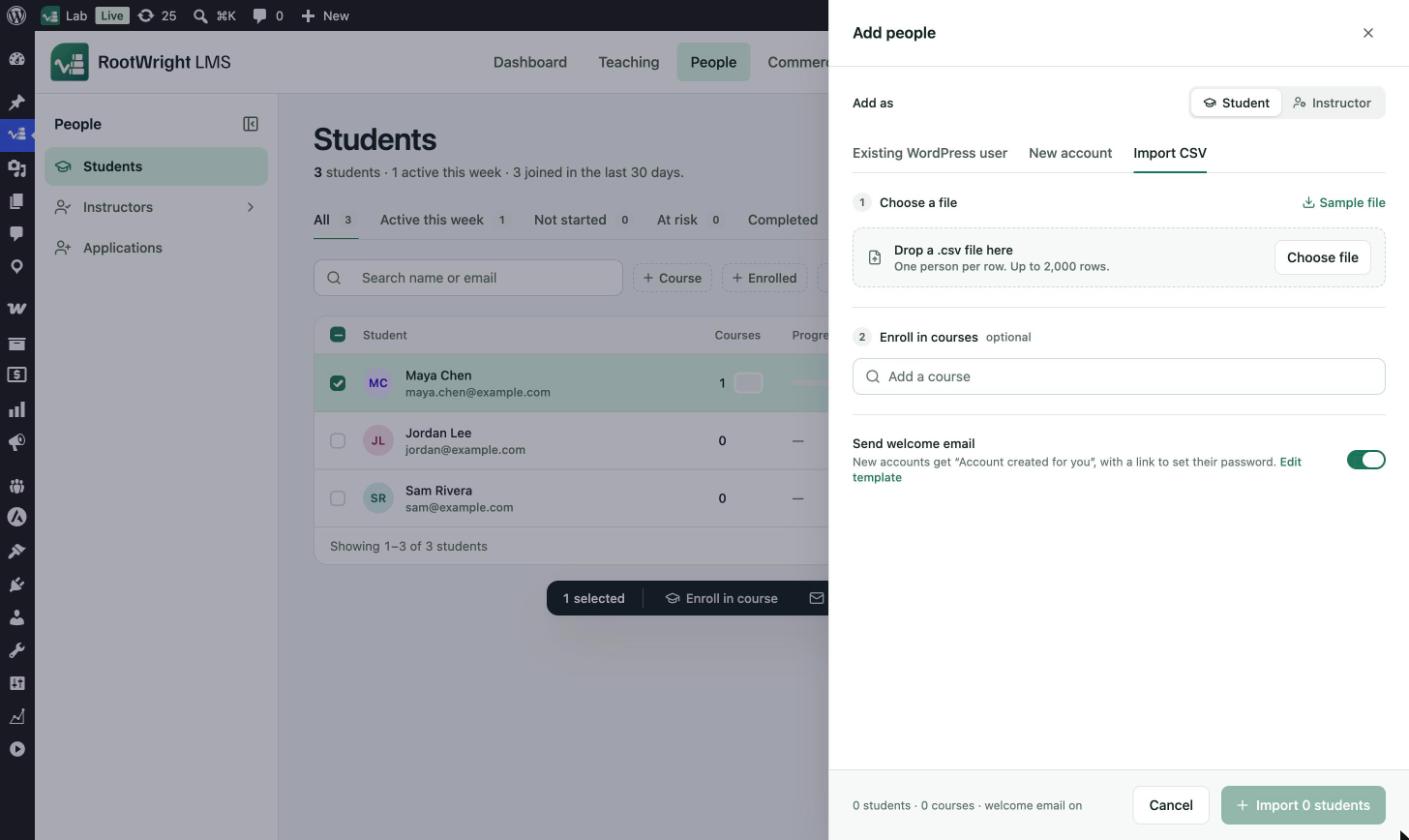
People → Students → Import CSV. Sample file downloads a template. The import button counts the students and courses before you start.
People who already have an account are enrolled only. The preview flags them as already existing.
Messages you may see
- "Match one column to Email." No column is mapped to Email.
- "Import at most 2,000 rows at a time." Split the file and import it in parts.
The bulk actions bar
On People → Students, tick students in the list to show the bulk actions bar. It has Enroll in course, Email, Export and Deactivate. The × button clears the selection.
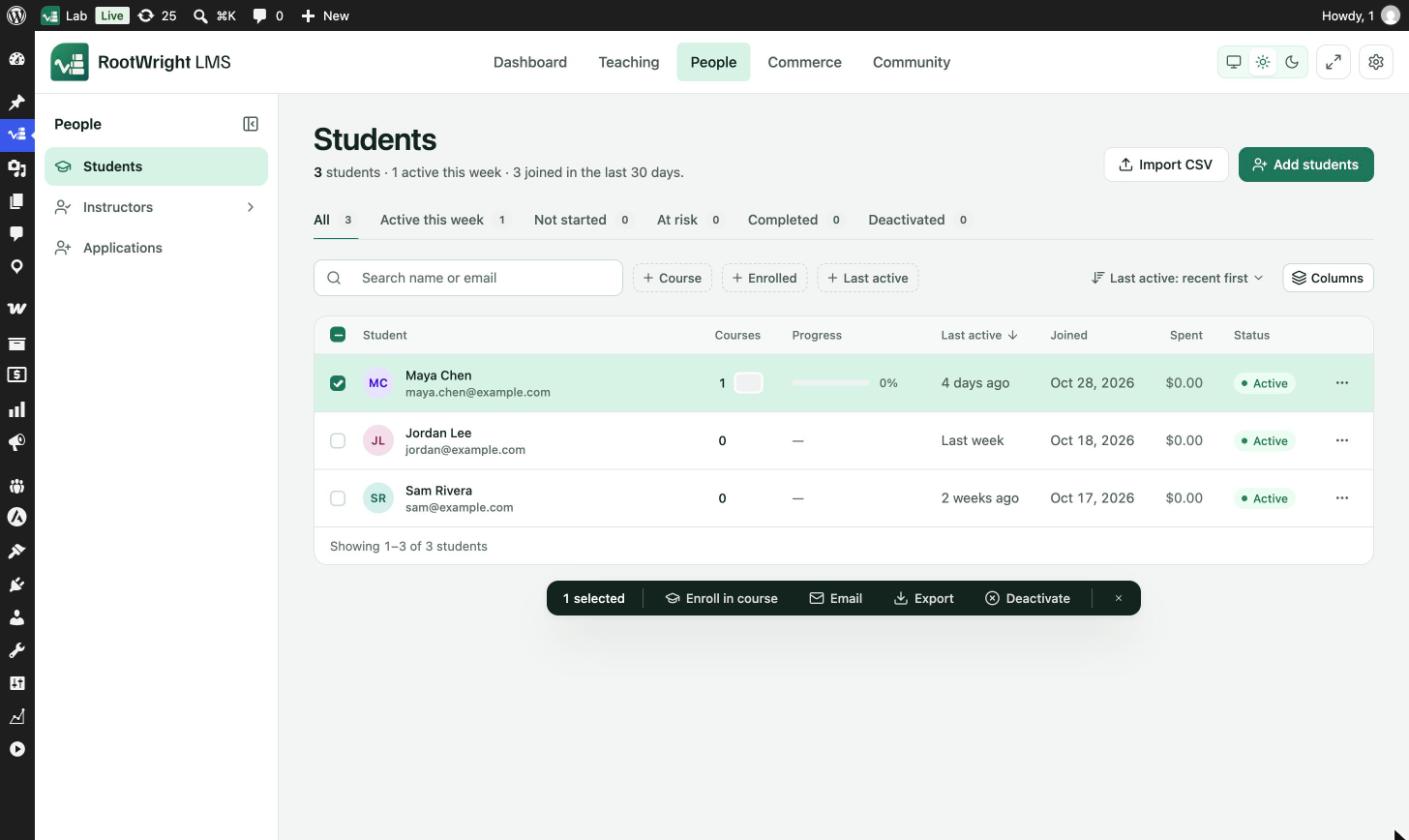
Tick one or more students to show the bulk actions bar.