
How to set conditional certificates in RootWright LMS
A conditional certificate is awarded only when a student meets rules you set. Completing the course is not enough on its own. For example, you can require a score of at least 70% on every quiz.
You set this for each course in the course builder, on the Certificate tab.
Before you start
- The course has the quizzes, exams or assignments that your rules will check.
- You can edit the course.
Choose when a certificate is awarded
- Open the course in the course builder and click Certificate.
- Open Award a certificate and choose one of the options below.
| Option | When a student gets the certificate |
|---|---|
| No certificate | Never. Students finish the course without earning anything. |
| Automatically, on completion | As soon as they complete the course. |
| Only when an instructor issues it | When an instructor issues it. |
| Automatically, if the student meets my criteria | When the rules below are met. This page covers this option. |
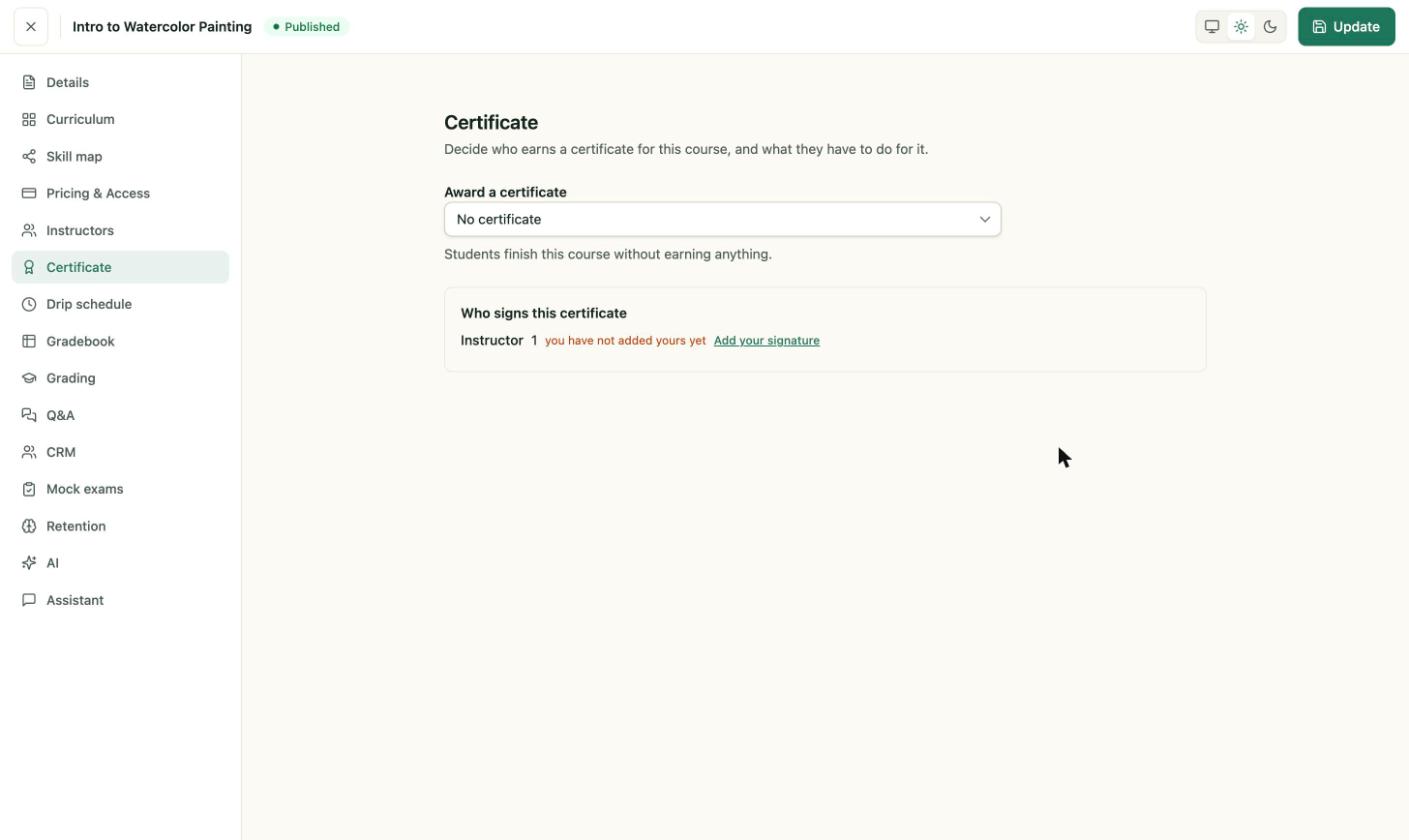
The Certificate tab of a course. The default is No certificate.
Add a rule
When you choose Automatically, if the student meets my criteria, the page shows The student must meet with a drop-down set to all, and an empty criteria area.
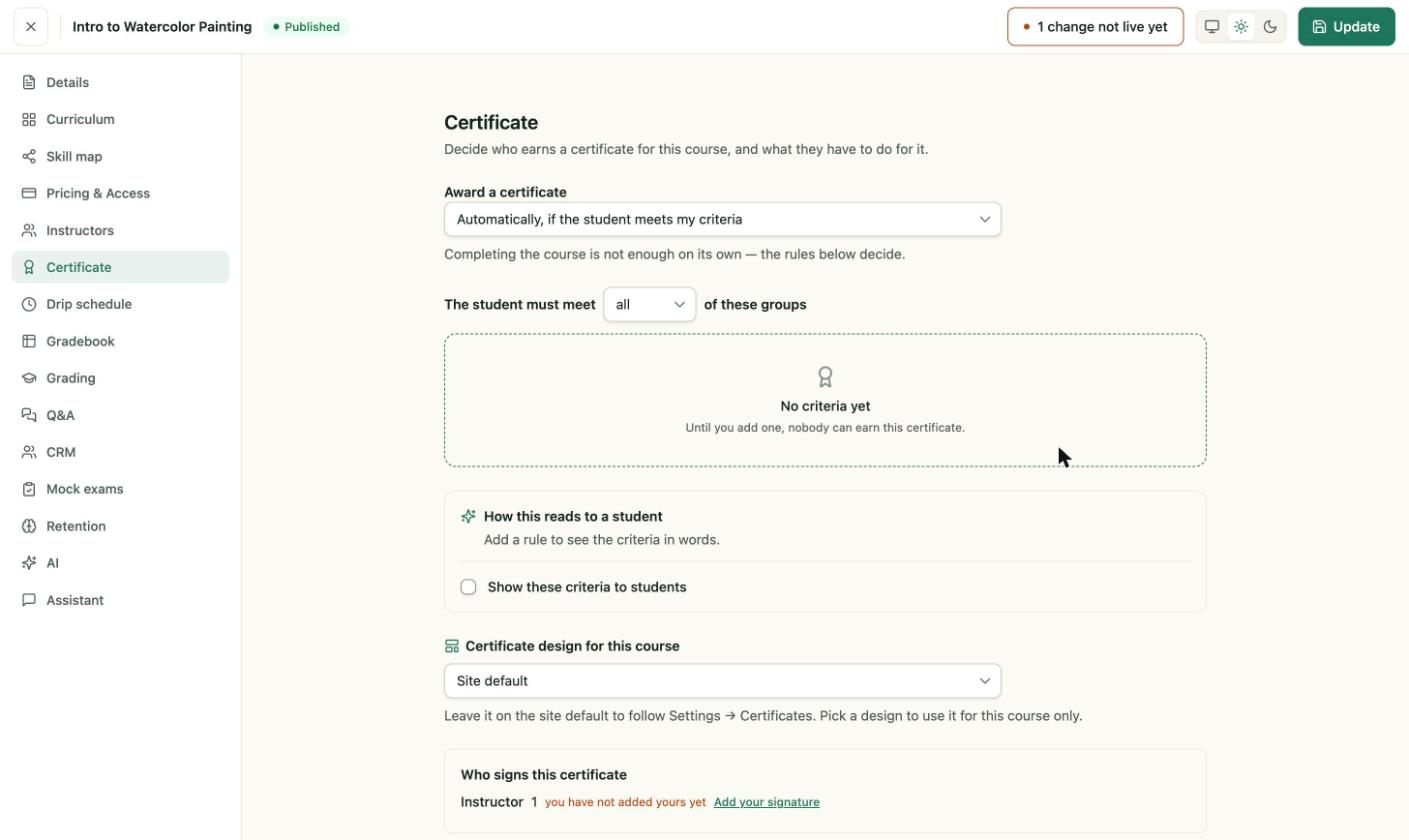
Until you add a rule, nobody can earn this certificate.
Rules are arranged in groups. A group has its own rules, and the groups are joined together.
- Choose whether the student must meet all or any of the groups.
- Click Add group to add a group. A new group opens with one rule.
- In Meet, choose all or any of the rules below.
- Set the rule. Choose a measure, such as score a percentage of, then a comparison such as at least, and a value such as
70%. - Choose what the rule counts, such as Quizzes, and which attempts count.
- Click Add rule to add another rule to the group.
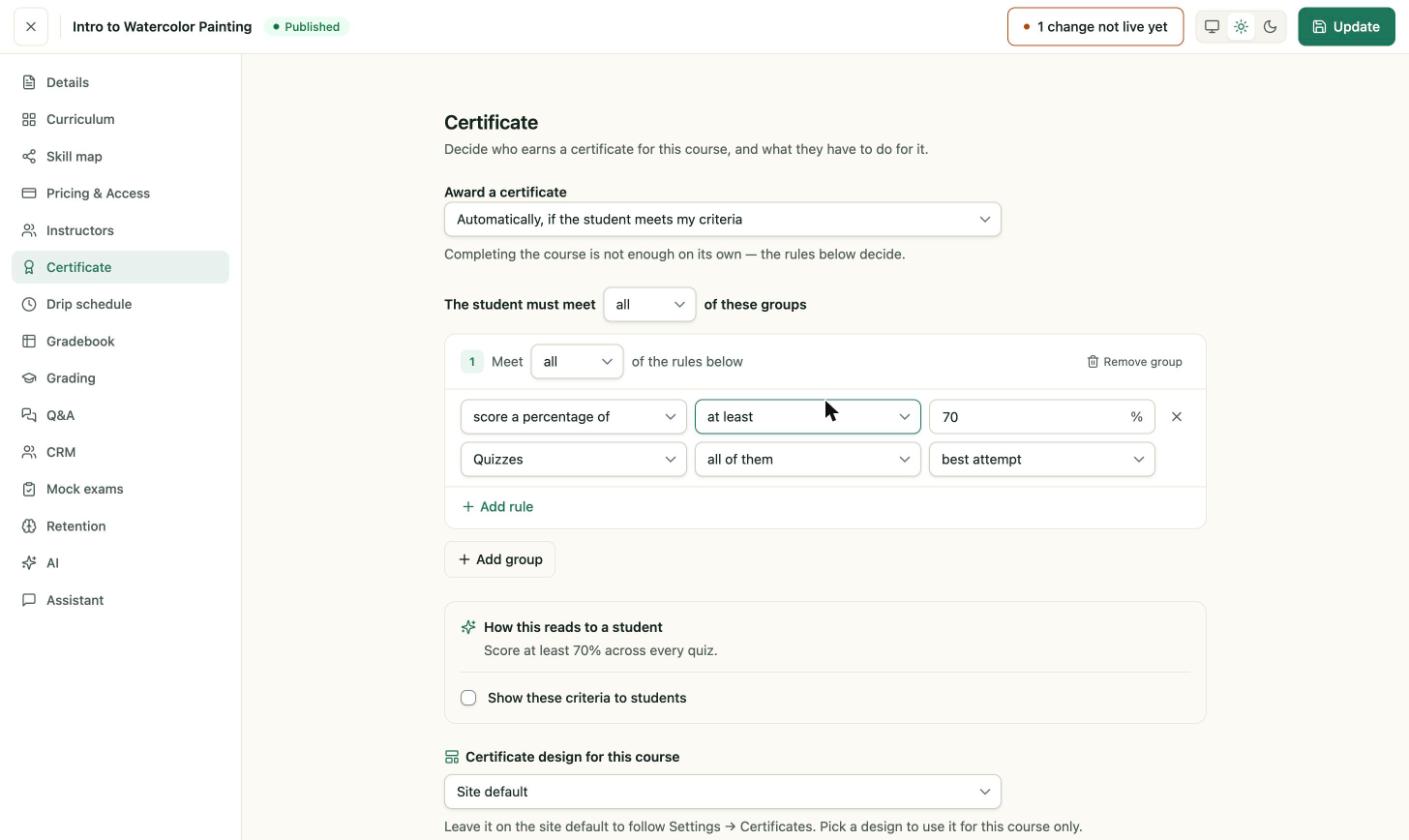
A group with one rule. The sentence under the rule shows how it reads to a student: "Score at least 70% across every quiz."
What a rule can measure
- Measure: score a percentage of, earn marks across, pass every one of, or pass a number of.
- Comparison, for a percentage: at least, more than, exactly, at most or less than.
- What it counts: Quizzes, Exams, Assignments, Quizzes, exams and assignments, Course grade, Checkpoints or Recall.
- Which items: all of them, or only the ones I pick.
- Attempt: best attempt, latest attempt or first attempt only.
Show the criteria to students
Turn on Show these criteria to students to show the rules to students in words. Leave it off to keep the rules private.
Choose the certificate design
Under Certificate design for this course, choose one of these:
- Site default: follow the design set in Settings → Certificates.
- Sky — Portrait
- Sky — Landscape
The design you choose here applies to this course only.
Sign the certificate
The Who signs this certificate box lists the instructors who sign. If your name is not there yet, click Add your signature.
Save the course
Click Update in the top bar. The certificate is not live until you save. The top bar shows 1 change not live yet while you have unsaved changes.
Messages you may see
- "No criteria yet. Until you add one, nobody can earn this certificate." Add at least one group with one rule.
- "Completing the course is not enough on its own — the rules below decide." This note is shown under the option when rules decide the award. It is not an error.