
How to add and edit lessons in RootWright LMS
A lesson is a single page of course content: text, a video, a quiz or an assignment. You create lessons in the course builder and edit them in the lesson builder. To add a lesson, type its title in the course builder and press Enter.
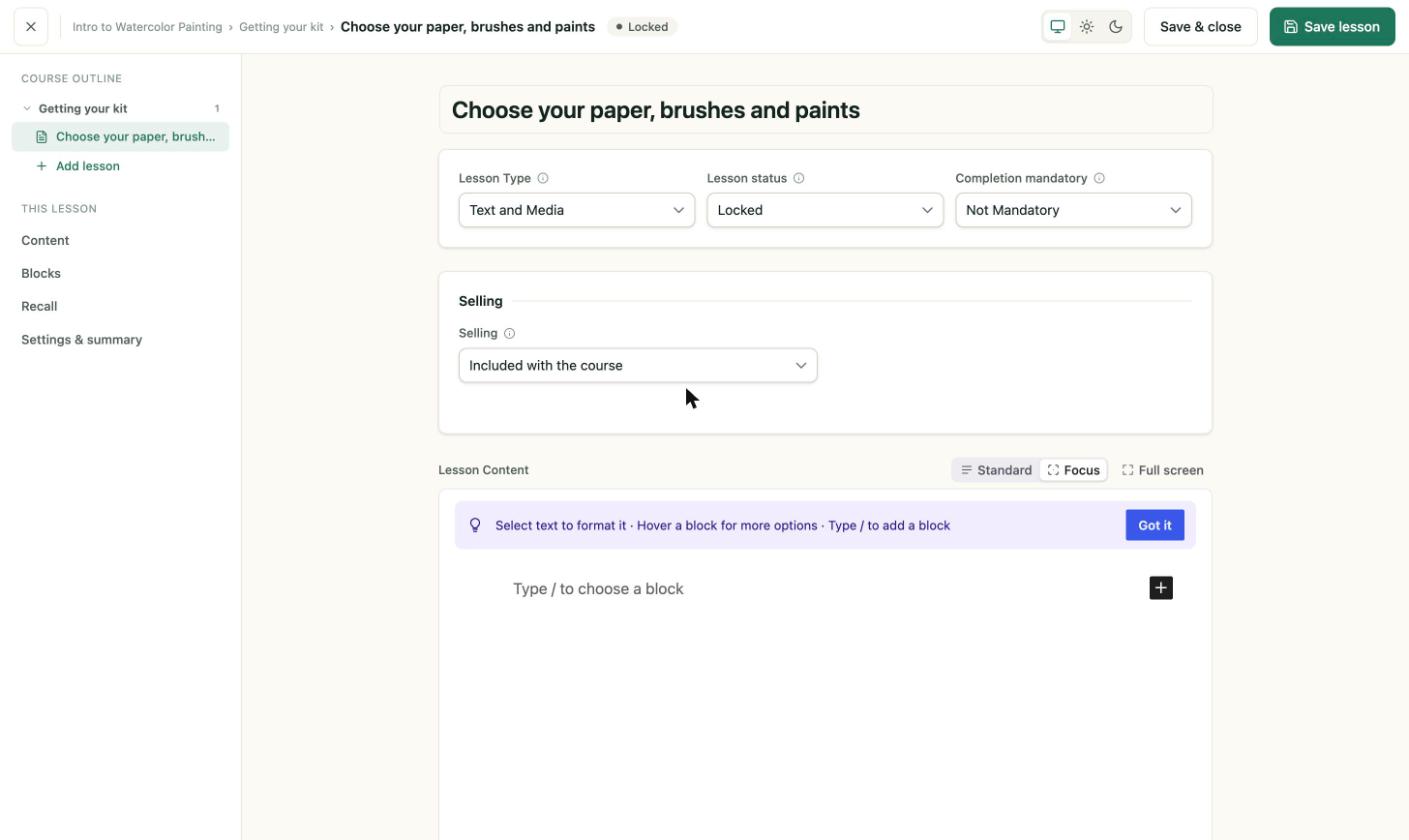
The lesson builder. Lesson type, status and selling sit at the top, and the content editor is below.
Add a lesson
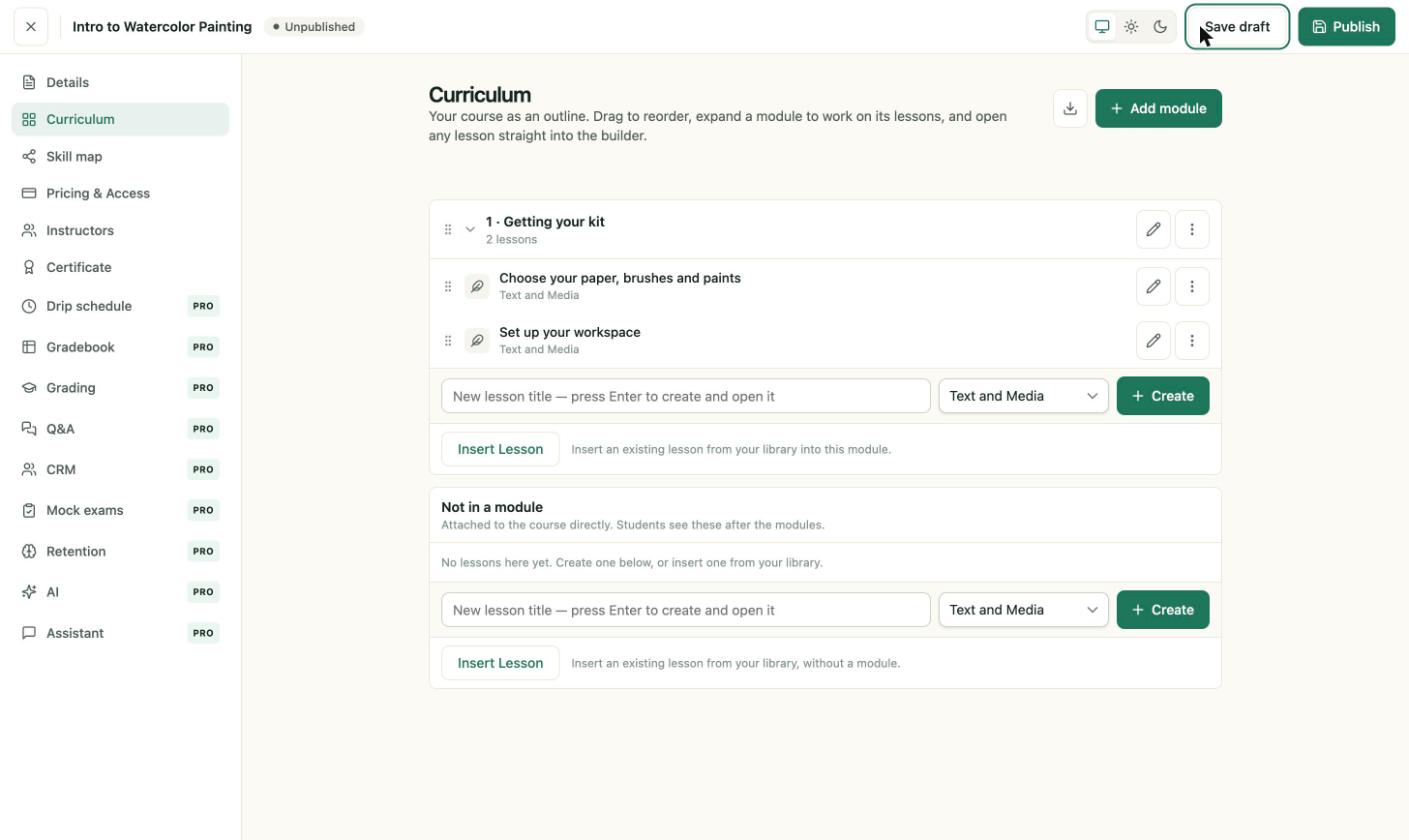
- Open the course in Teaching → Courses, then open Curriculum.
- Pick a lesson type from the dropdown next to the lesson field.
- Type a title and press Enter. The lesson builder opens.
Set the lesson options
- Lesson Type can be changed here as well, for example from Text and Media to Quiz.
- Lesson status: Locked is the default. Public Access lets visitors see the lesson before enrolling.
- Completion mandatory: Not Mandatory or Mandatory.
- Selling: Included with the course, Sold separately — students pay too or Sold separately — free for enrolled students.
Write the content
Click in Lesson Content and type. Press Enter for a new paragraph, and / to insert a block. The block editor supports text formatting, images and files.
Save
- Save lesson saves and keeps the builder open.
- Save & close saves and returns you to the course builder.
The course builder shows each lesson with its type under its title, such as "Text and Media" or "Quiz".
Related
- Course builder covers modules and reordering.
- Create a quiz.
- Lesson completion.
- Video questions
- Assignments