
How to install RootWright LMS Free
To install RootWright LMS Free, upload the plugin in Plugins → Add Plugin, activate it and open RootWright LMS in the admin sidebar. You need an administrator account and the requirements met.
Install the plugin
- Download the
rootwright-lms.zipfile for the Free plugin. - In the WordPress admin, go to Plugins → Add Plugin → Upload Plugin.
- Choose the zip file and click Install Now.
- When the install finishes, click Activate Plugin.
WordPress lists the plugin as RootWright LMS version 1.0.0, by Rafi Ahmed.
Open RootWright LMS
After activation, RootWright LMS appears in the WordPress sidebar, under the Dashboard menu. Click it to open the admin. The first screen is the dashboard.
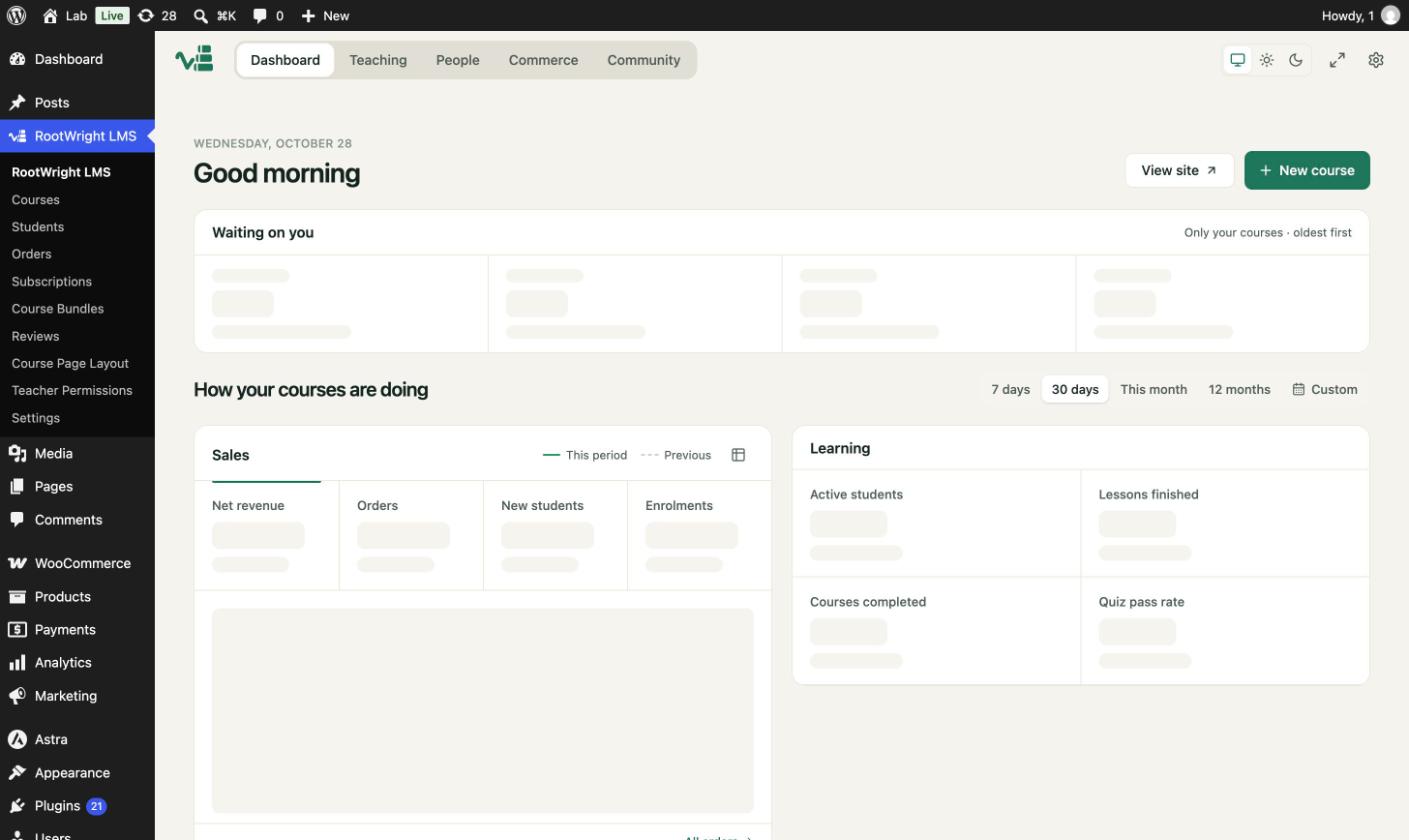
The RootWright LMS dashboard, showing the five top tabs and the course summary.
The sidebar submenu lists Courses, Students, Orders, Reviews, Course Page Layout, Teacher Permissions and Settings. Pro adds Subscriptions and Course Bundles. See Free and Pro together.
Next steps
- Create your first course.
- Install Pro if you need payments, video hosting or live classes.