
The Lessons and Topics screens in RootWright LMS
RootWright LMS keeps every lesson in one library, so the same lesson can be used in more than one course. To see all lessons across your courses, go to Teaching → Courses → Lessons. To see the topics that group them, go to Teaching → Courses → Topics.
A topic is a group of lessons inside one course, the way chapters group a book. The course builder calls the same thing a module. See Course builder.
The Lessons screen
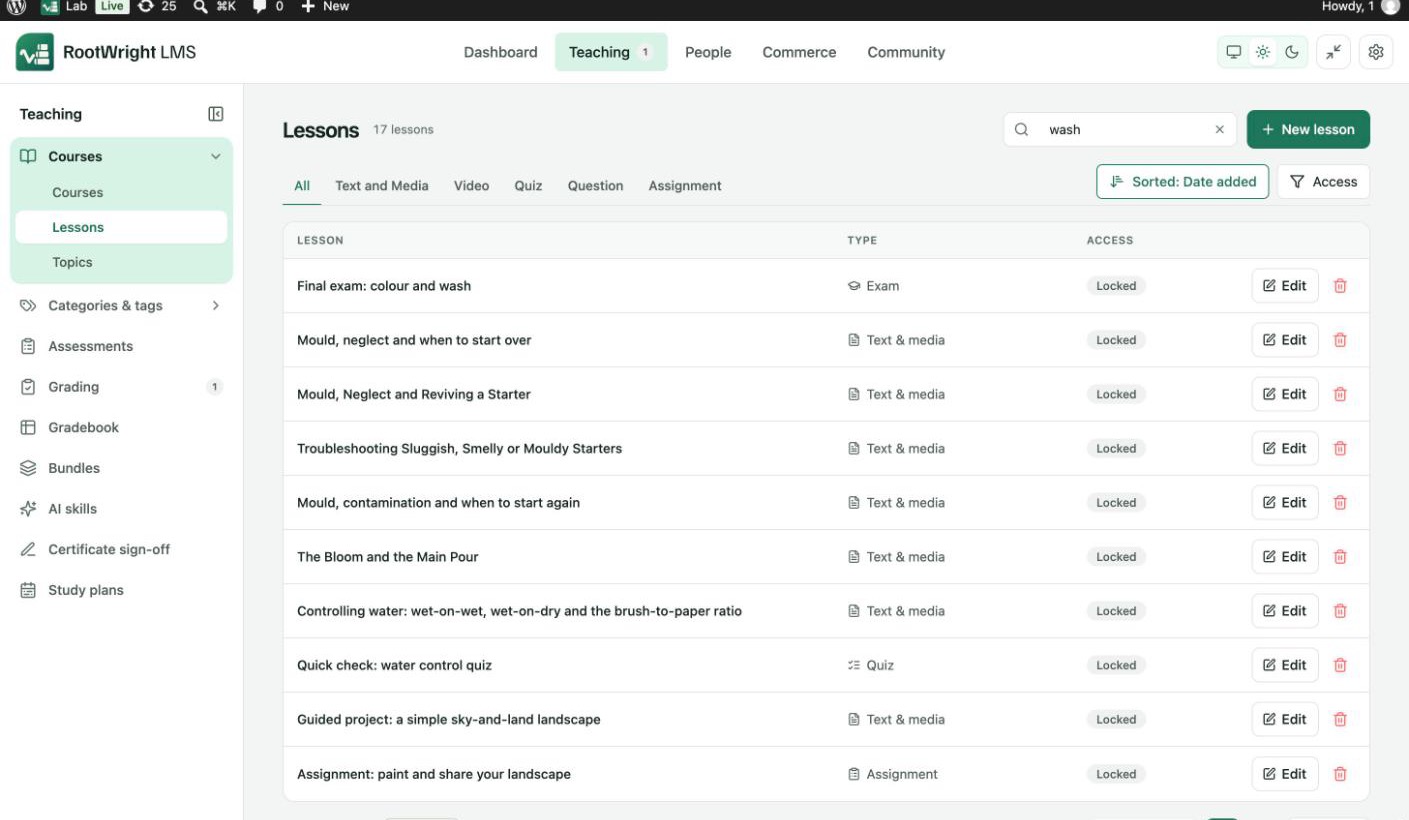
Teaching → Courses → Lessons. The search matches lesson titles and content.
| Control | What it does |
|---|---|
| Search lessons | Finds lessons by title or content. Click the × to clear it. |
| New lesson | Opens an empty lesson in the lesson builder. |
| Type tabs | All, Text and Media, Video, Quiz, Question and Assignment show only lessons of that type. |
| Sorted: Date added | Sorts newest first or oldest first. |
| Access | Shows All lessons, only Public lessons, or only Locked lessons. When a filter is on, the button shows its name. |
| Edit | Opens the lesson in the lesson builder. |
| Bin icon | Deletes the lesson, after you confirm. |
Each row shows the lesson's Type and its Access: Locked lessons need enrolment. Public lessons can be seen by visitors before they enrol. You set both in the lesson builder. See Lessons.
When nothing matches, the screen says "No lessons match". Click Clear filters to show every lesson again.
The Topics screen
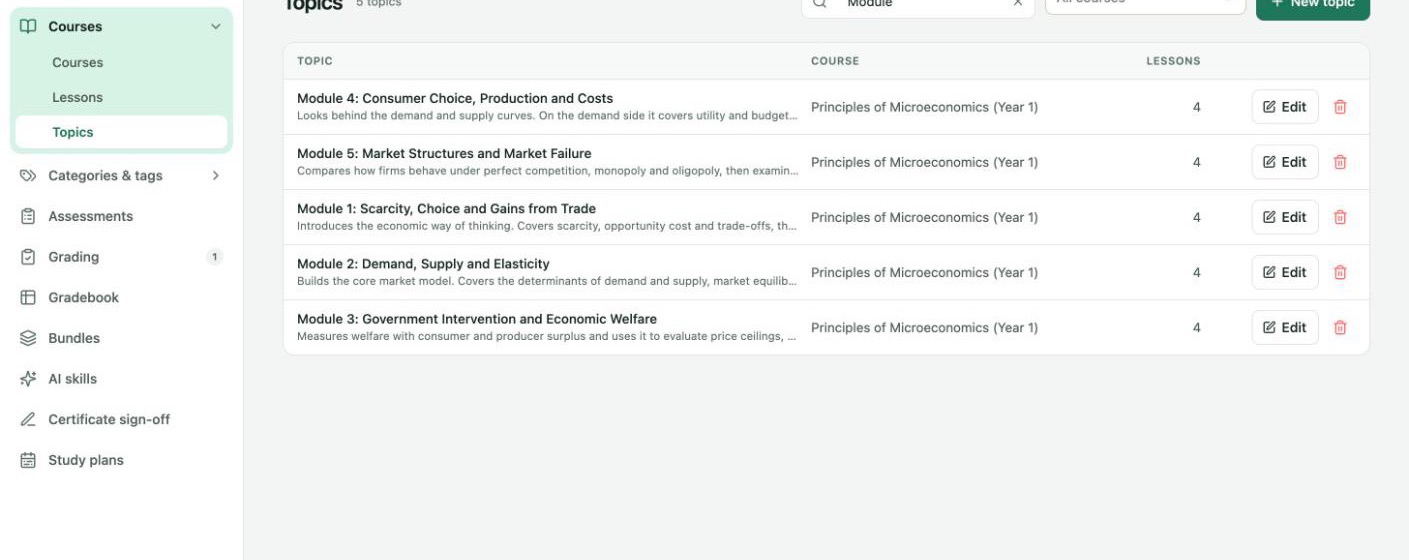
Teaching → Courses → Topics. Each row shows the course the topic belongs to and how many lessons it holds.
| Control | What it does |
|---|---|
| Search topics | Finds topics by title. |
| All courses | Shows only the topics of one course. |
| New topic | Opens the New topic dialog. |
| Edit | Changes the topic's title, course or description. |
| Bin icon | Deletes the topic, after you confirm. |
Add a topic
- Go to Teaching → Courses → Topics and click New topic.
- Enter a Title.
- Under Add to course, search for and pick the course. A topic lives inside one course.
- Optional: add a Description of up to 255 characters.
- Click Create topic.
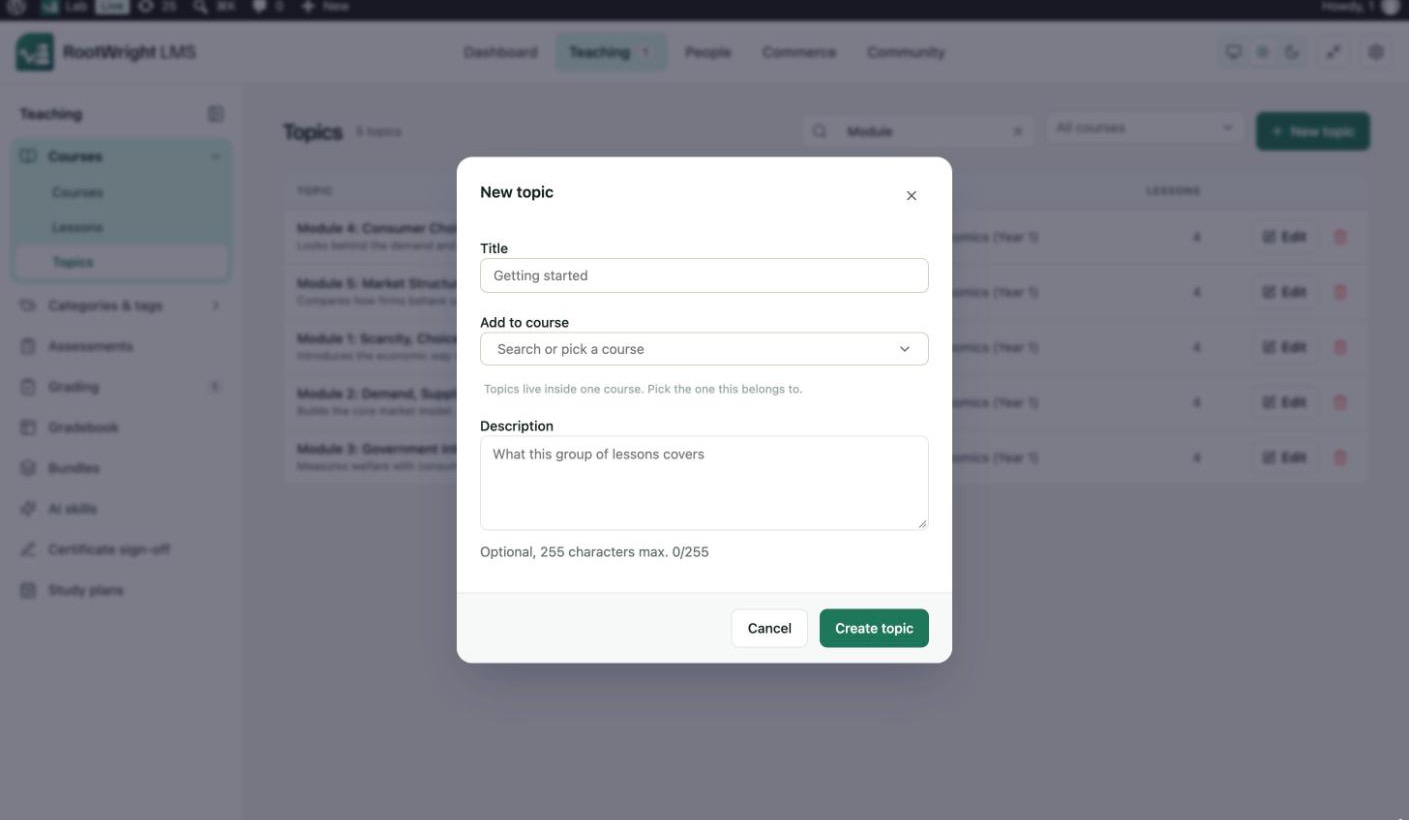
The New topic dialog.
The topic appears in the course's Curriculum in the course builder, ready to hold lessons.
Delete a topic
Click the bin icon on the topic's row, then Delete topic. The lessons in it are not deleted. They stay in the lesson library but are detached from the course, and every student's lesson total for that course is recalculated.