
How to connect YouTube videos in RootWright LMS
YouTube is a stream provider in RootWright LMS Pro. Connect a Google account to list your public and unlisted videos in the lesson picker, then play them in lessons with privacy mode on.
Pro
YouTube connection requires RootWright LMS Pro and a Google Cloud project.
Before you start
- A Google Cloud project with the YouTube Data API v3 enabled.
- An OAuth client. The same client also works for Google Drive and Google Meet.
- A public domain. Google does not accept redirect URIs on
localhost,.testor.local. See the note below.
Set up the connection
- In Google Cloud Console, create an OAuth client. Copy its Client ID and Client secret.
- Add the redirect URI shown on the YouTube settings screen to the client's Authorized redirect URIs. The URI is the REST route
rootwright-lms/v2/integrations/google/callbackon your site. - In WordPress, go to Settings → Integrations → Video & storage, open YouTube and paste the OAuth Client ID and OAuth Client secret. Click Save.
- Click Connect YouTube. Approve the read-only scope,
youtube.readonly. - Turn the YouTube switch on.
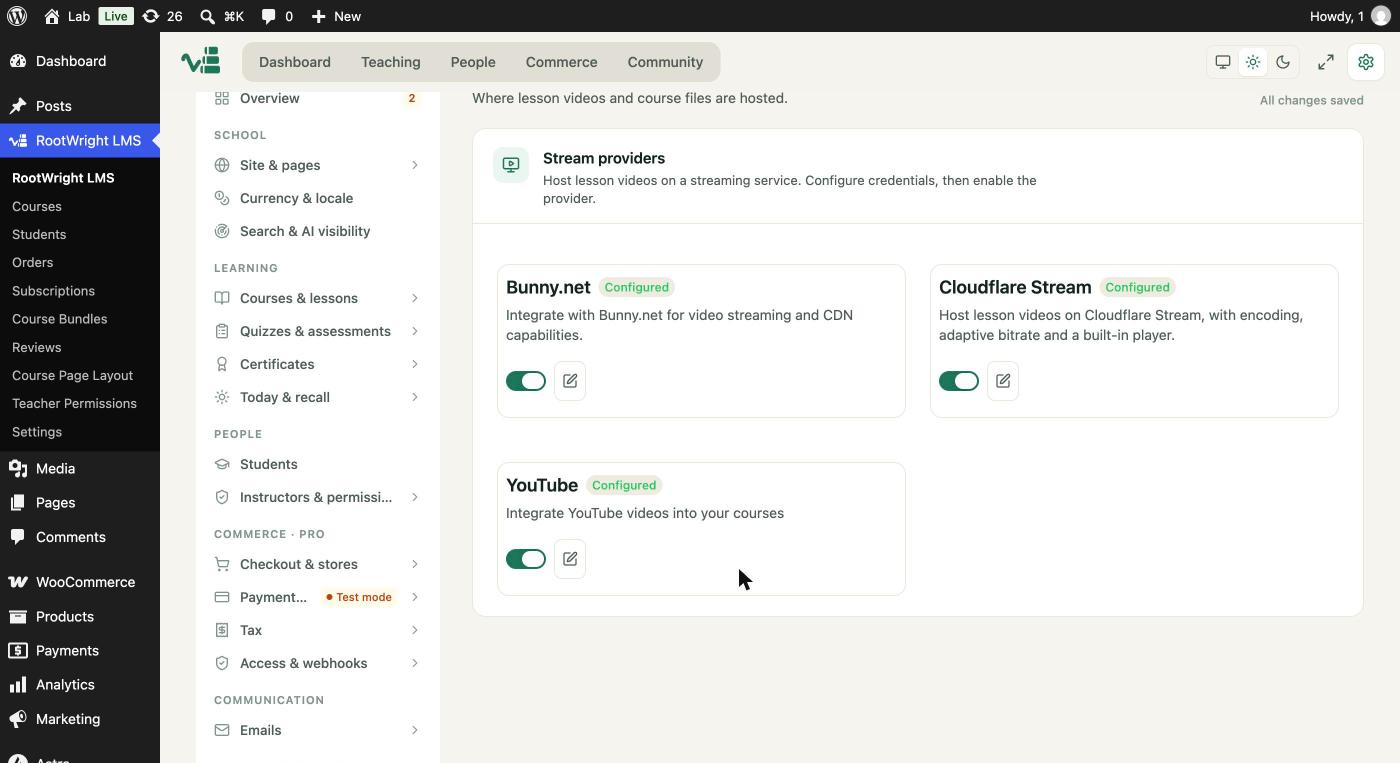
Settings → Integrations → Video & storage. The YouTube card shows Configured once its settings are saved.
When the connection works, the form shows Google account connected and a Disconnect button. If it does not, see the note below.
Without Connect
You can list public videos without connecting an account. Paste a YouTube Data API key in API Key (without Connect) and a Channel as a handle, a channel ID or a URL. This only shows public videos.
Playback
Lessons play YouTube videos in an embed. With Privacy Mode on (the default), the embed uses youtube-nocookie.com.
Note on local sites
Local sites cannot finish the Google connection
Google only accepts redirect URIs on a public domain. A local site such as lab.test is blocked before the consent screen. Use a public staging domain for the connection, or set the redirect URI with the rootwright_lms_pro_google_redirect_uri filter. See Developers → Hooks and filters.
Quota
Browsing a channel uses YouTube API quota. Each search costs 100 units.
Related
- Video & storage.
- Google Meet uses the same Google client.