
Course settings and access in RootWright LMS
Course settings control who can take a course, when, and at what price. They live in the course editor, on the Pricing & Access, Instructors and Certificate sections.
Pricing & Access
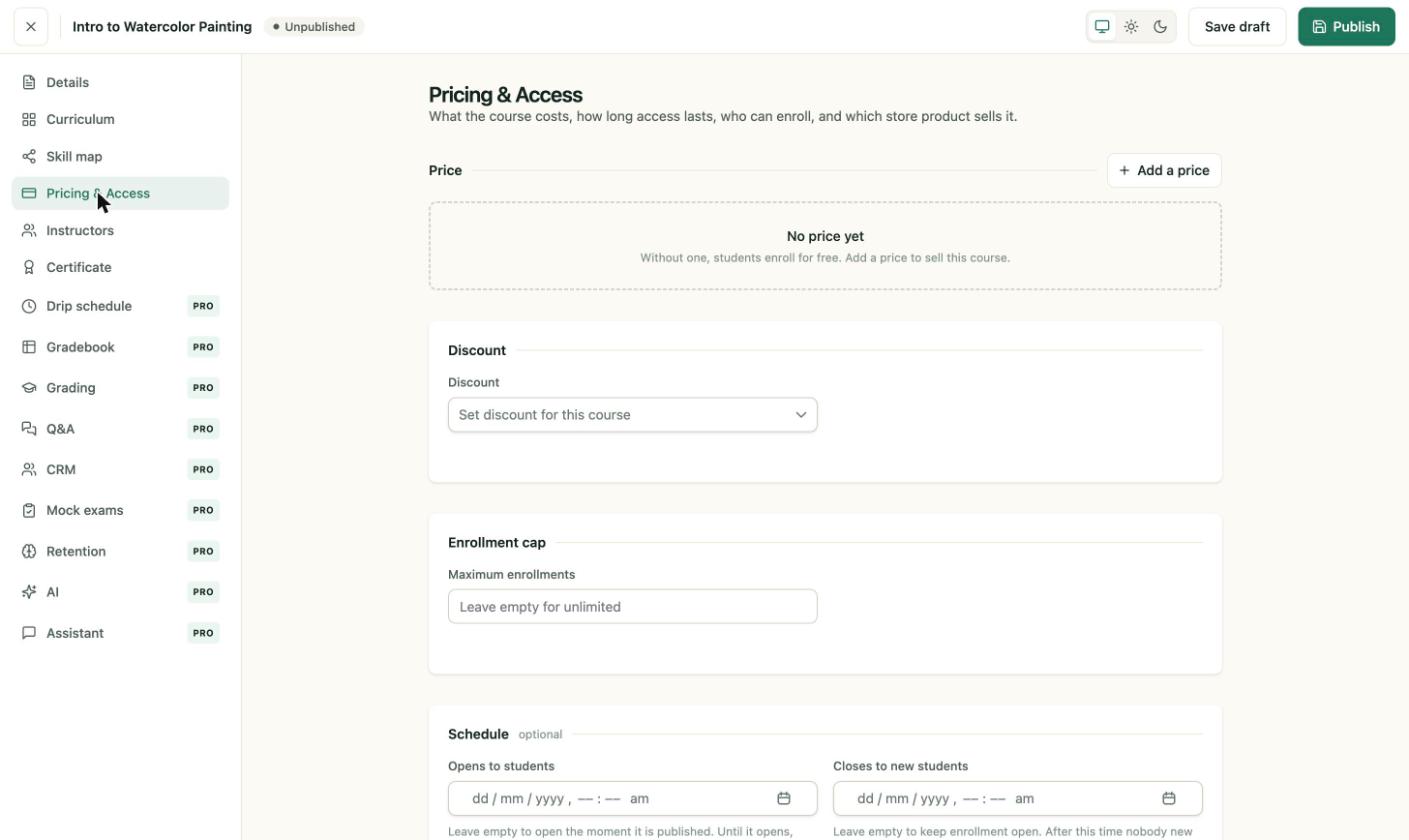
Pricing & Access. A course with no price enrolls students for free.
- Price. Click Add a price to set what the course costs. Without a price, students enroll for free.
- Discount. Choose a discount for this course from the dropdown, if you have created one under Commerce → Discounts.
- Maximum enrollments. Caps the number of students. Leave it empty for unlimited.
- Schedule. Set Opens to students and Closes to new students. Leave them empty to open the course as soon as it is published. After the close date, nobody new can enroll, but current students keep access.
Pro
Prices are charged through Stripe or PayPal, or through a connected store. See Payment gateways.
Instructors
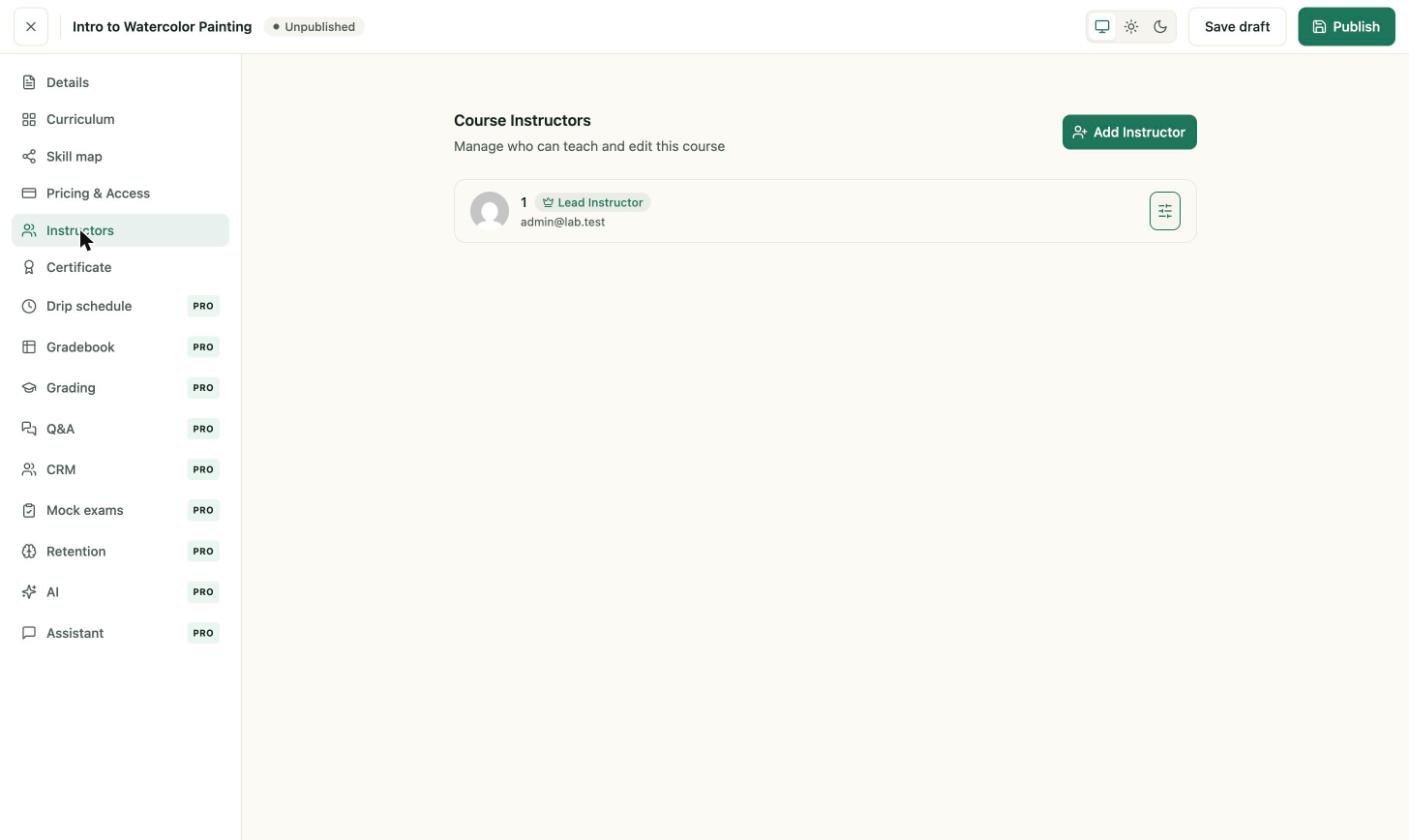
The Instructors section lists the Lead Instructor. Add co-teachers with Add Instructor.
- The person who created the course is the Lead Instructor.
- Add Instructor adds a co-teacher from existing accounts. Each instructor gets a role.
- The adjust icon on a row opens that instructor's permissions for this course.
For roles, commission and per-course permissions, see Add co-instructors to a course.
Certificate
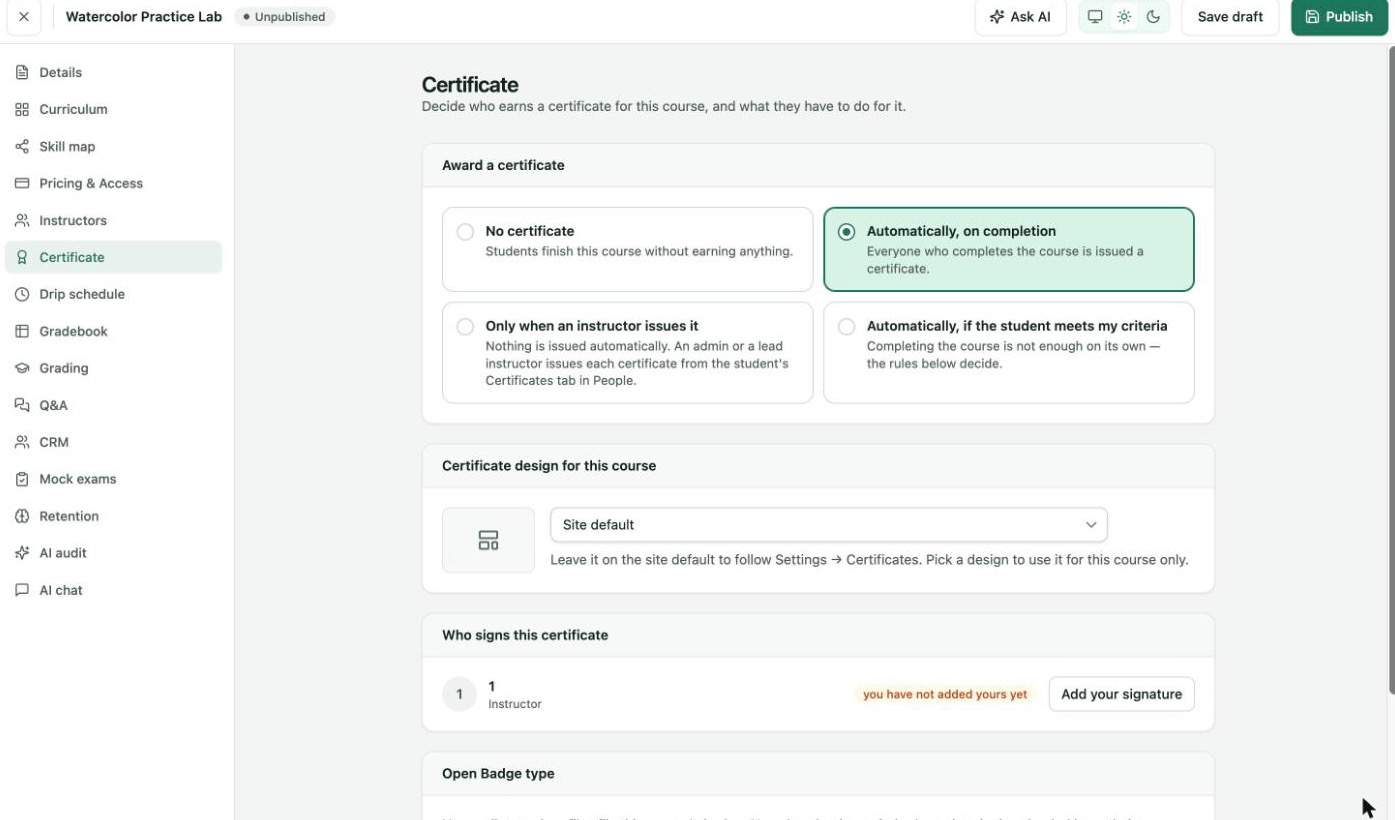
The Certificate section. The default is No certificate.
Under Award a certificate, choose No certificate, Automatically, on completion, Only when an instructor issues it or Automatically, if the student meets my criteria. Then pick the design for this course. Under Who signs this certificate, each instructor must add a signature before approving certificates. See Design certificates.
Other settings
- Details holds the title, description, level, duration, format, category and tags. See Add a course.
- Publishing lives in the top bar. Publish, Save draft and Update are all there.