
Improve a course with AI audit and AI chat in RootWright LMS
RootWright LMS Pro has two AI tools in the course builder. AI audit checks a course and fixes what it finds, one finding at a time or in bulk. AI chat talks small edits through with you. Neither deletes or publishes anything.
Pro
AI audit and AI chat are part of RootWright LMS Pro. Both need an AI provider connected under Settings → AI. See Connect your AI provider.
AI audit
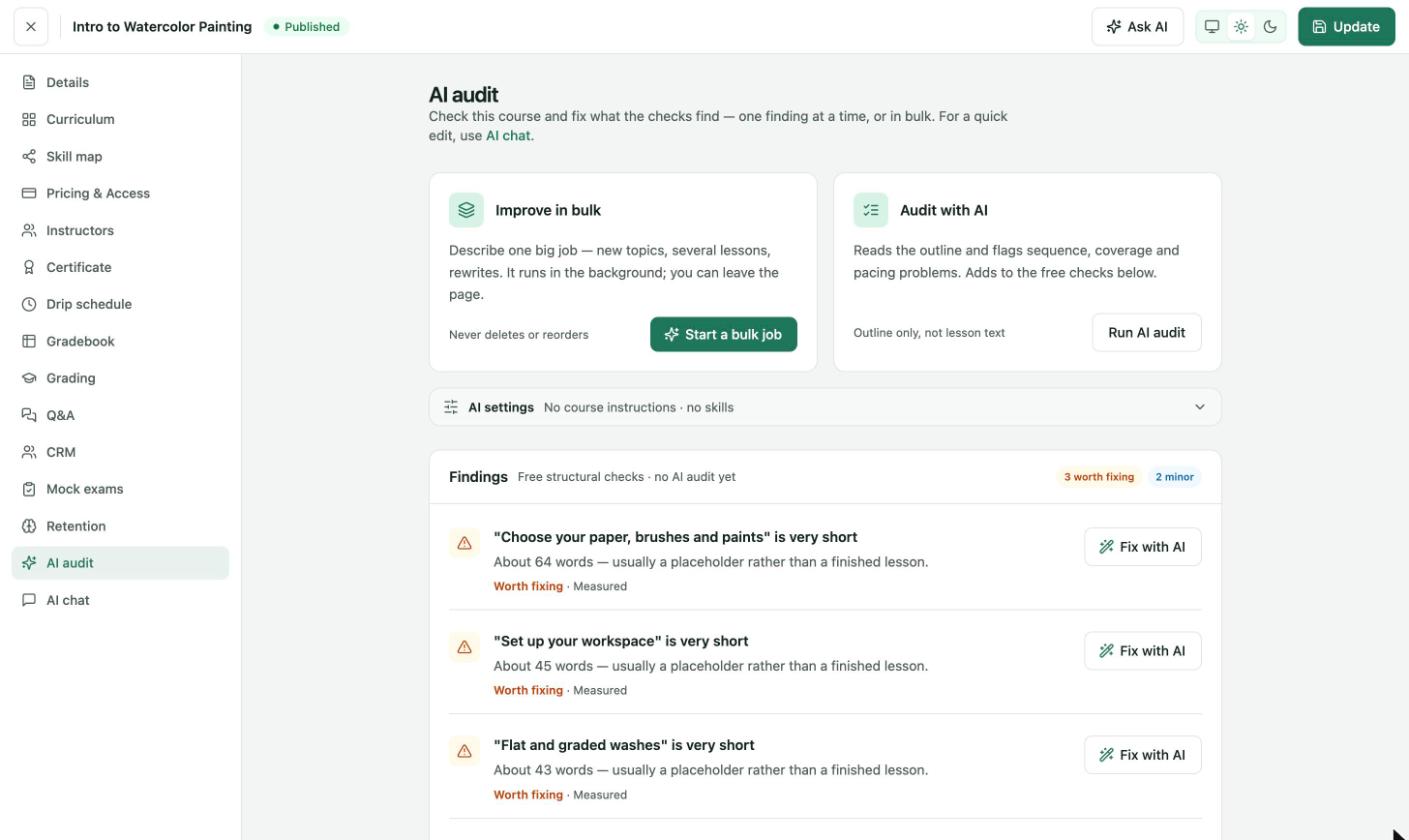
Course builder → AI audit. The Findings list starts with the free structural checks.
The Findings list runs free structural checks without AI, for example a lesson that is very short. Each finding has a level, such as Worth fixing or minor, and a Fix with AI button.
| Tool | What it does |
|---|---|
| Fix with AI | Fixes one finding. |
| Audit with AI → Run AI audit | Reads the outline and flags sequence, coverage and pacing problems. It adds to the free checks. It reads the outline only, not lesson text. |
| Improve in bulk → Start a bulk job | Describe one big job, such as new topics, several lessons or rewrites. It runs in the background, so you can leave the page. It never deletes or reorders. |
| AI settings | Course instructions and skills that apply to every AI request on this course. |
AI chat
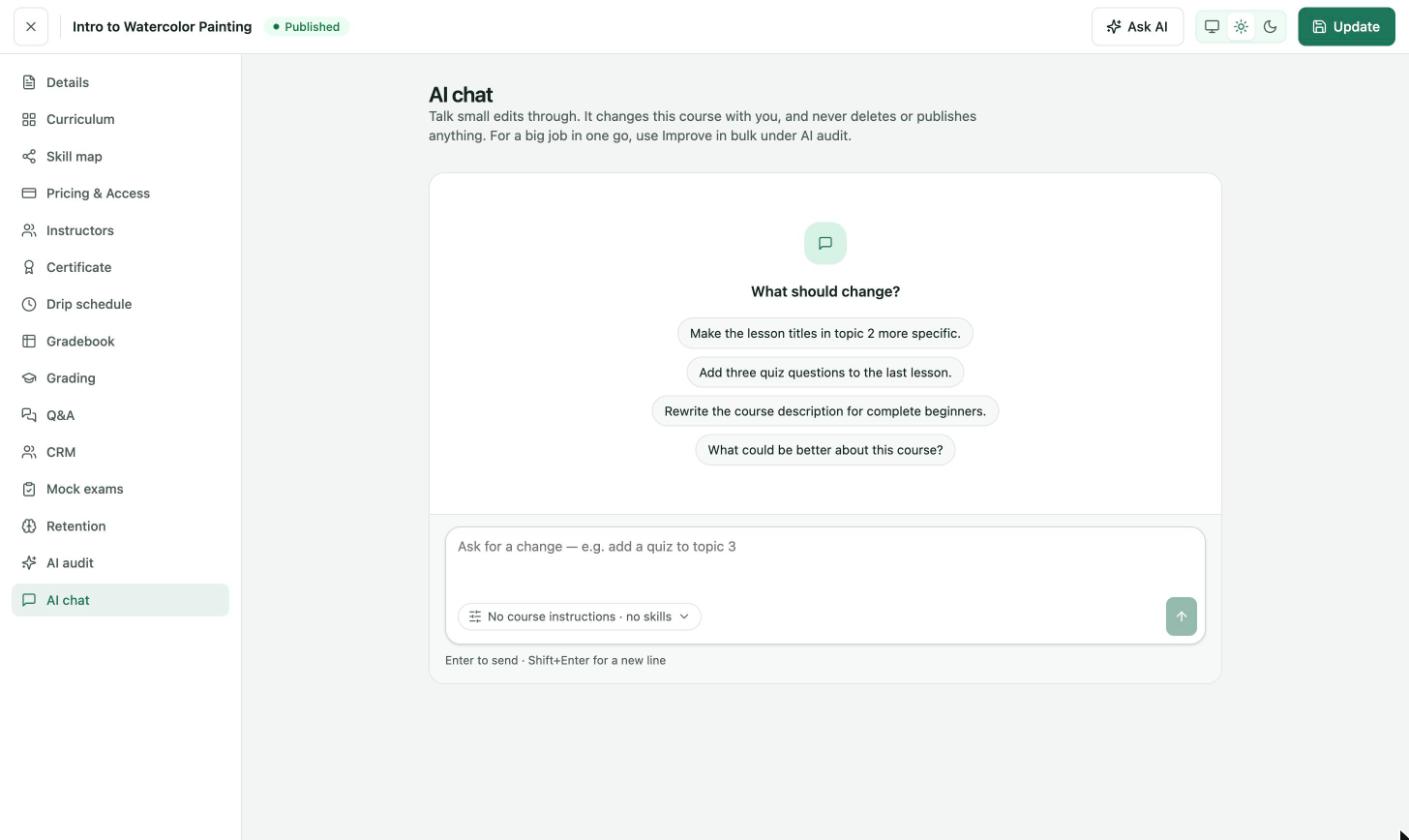
Course builder → AI chat. Pick a suggestion or type your own request.
- Open the course and click AI chat.
- Type a change in Ask for a change, or pick a suggestion such as "Make the lesson titles in topic 2 more specific."
- Press Enter to send. Use Shift+Enter for a new line.
AI chat changes the course with you and never deletes or publishes anything. For a big job in one go, use Improve in bulk under AI audit.
Course instructions and skills
The AI settings control shows what the AI uses, for example "No course instructions · no skills". Course instructions are standing rules for every AI request on this course, such as tone, audience and conventions. Skills are reusable instructions you manage under AI skills.