
The course page students see in RootWright LMS
Each published course has a public course page at /course-catalogue/ followed by the course slug. Visitors use it to decide whether to enroll.
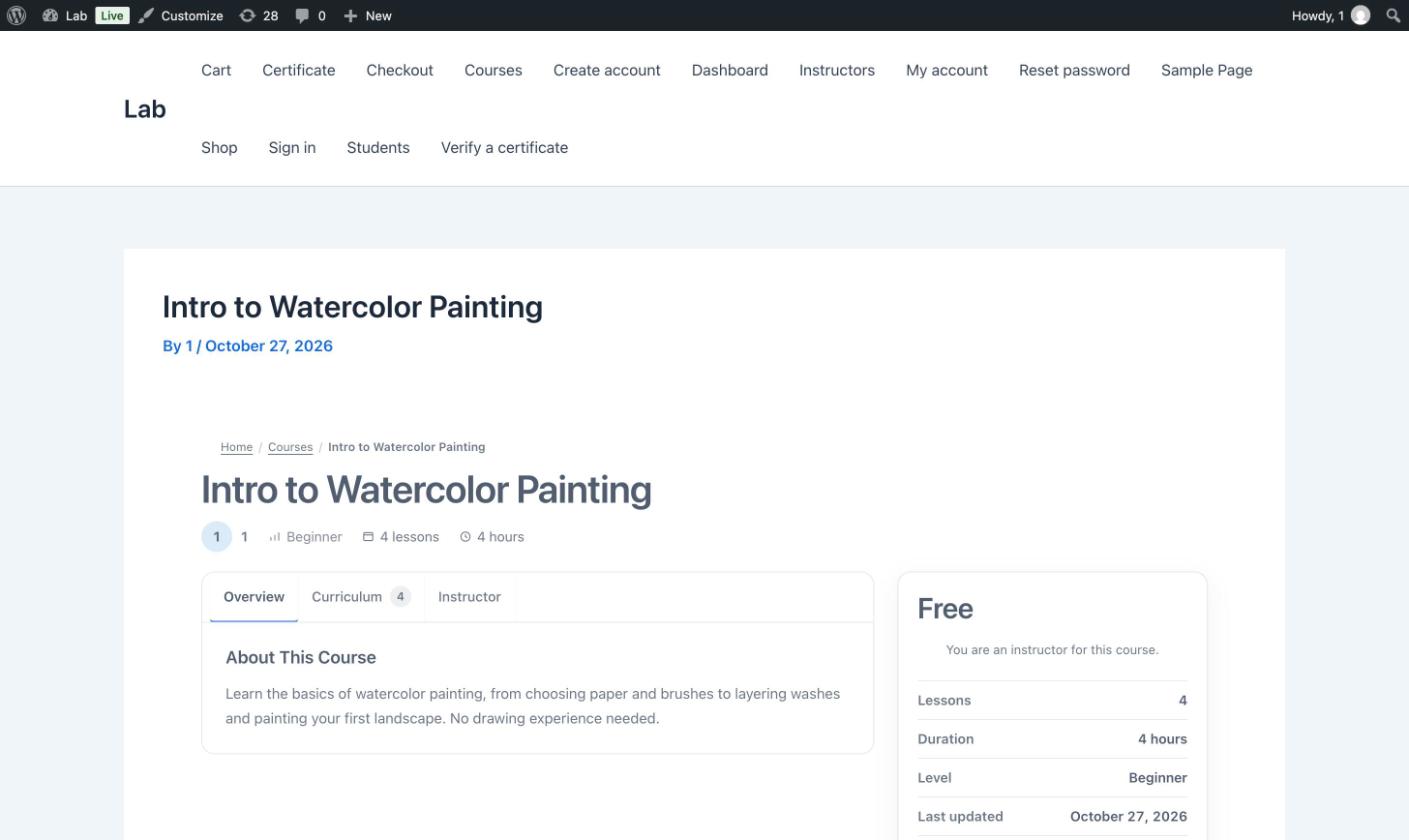
The course page for a free course. The price box on the right shows the enroll action.
What the page shows
- Breadcrumbs back to the course list.
- Title, lesson count, number of modules, level and duration in a row under the title.
- Three tabs: Overview (the description), Curriculum (every module and lesson, with the count) and Instructor.
- A price box with the price (for example Free), the lesson count, the duration, the level and the last-updated date.
When a student is enrolled, the price box shows Continue Learning in place of the enroll action.
Students who are logged in
Students who are enrolled see Continue Learning, which opens the course player. The player shows the course outline, progress, and each lesson's content. See What students see.
Notices on the page
Instructors who view their own course see "You are an instructor for this course." in the price box.
Related
- Course settings and access controls the price and schedule.
- Enroll students.
- Course page layout