
RootWright LMS admin dashboard tour
The RootWright LMS admin is a single screen with five top tabs. The WordPress sidebar also lists the same areas, so you can open them directly.
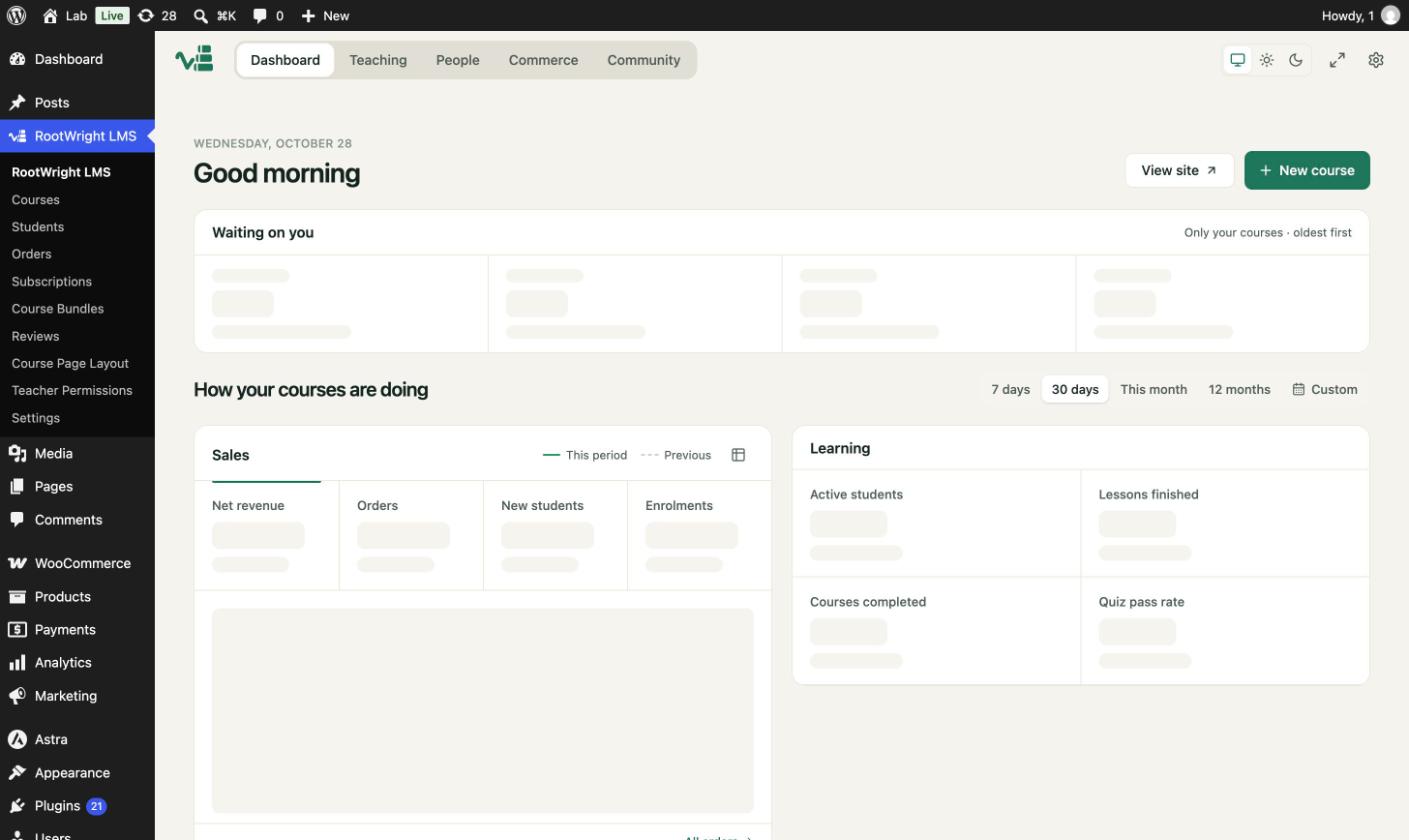
The dashboard shows a greeting, a "Waiting on you" panel and course performance for the chosen period.
The five tabs
| Tab | What it holds |
|---|---|
| Dashboard | Your greeting, the "Waiting on you" panel and sales and learning figures for 7 days, 30 days, this month, 12 months or a custom range. |
| Teaching | Courses, categories and tags, assessments, grading, the gradebook, bundles, AI skills, certificate sign-off and study plans. |
| People | Students, instructors and applications. |
| Commerce | Orders, discounts, subscriptions, invoices and transactions (Pro). |
| Community | Course reviews, lesson comments, announcements and Q&A. |
The gear icon in the top-right opens Settings. The sun, moon and screen icons switch between light, dark and system themes.
Teaching sub-screens
Under Teaching you will find Courses (with Lessons and Topics views), Categories & tags, Assessments, Grading, Gradebook, Bundles, AI skills, Certificate sign-off and Study plans.
Sidebar menu
The WordPress sidebar lists Courses, Students, Orders, Subscriptions (Pro), Course Bundles (Pro), Reviews, Course Page Layout, Teacher Permissions and Settings. Each one opens the matching tab in the admin.