
How to connect FluentCRM to RootWright LMS
FluentCRM is an email marketing and CRM plugin for WordPress. With RootWright LMS Pro, students are added to FluentCRM lists or given tags as they move through a course.
Pro
FluentCRM sync is part of RootWright LMS Pro. FluentCRM itself must be installed and active.
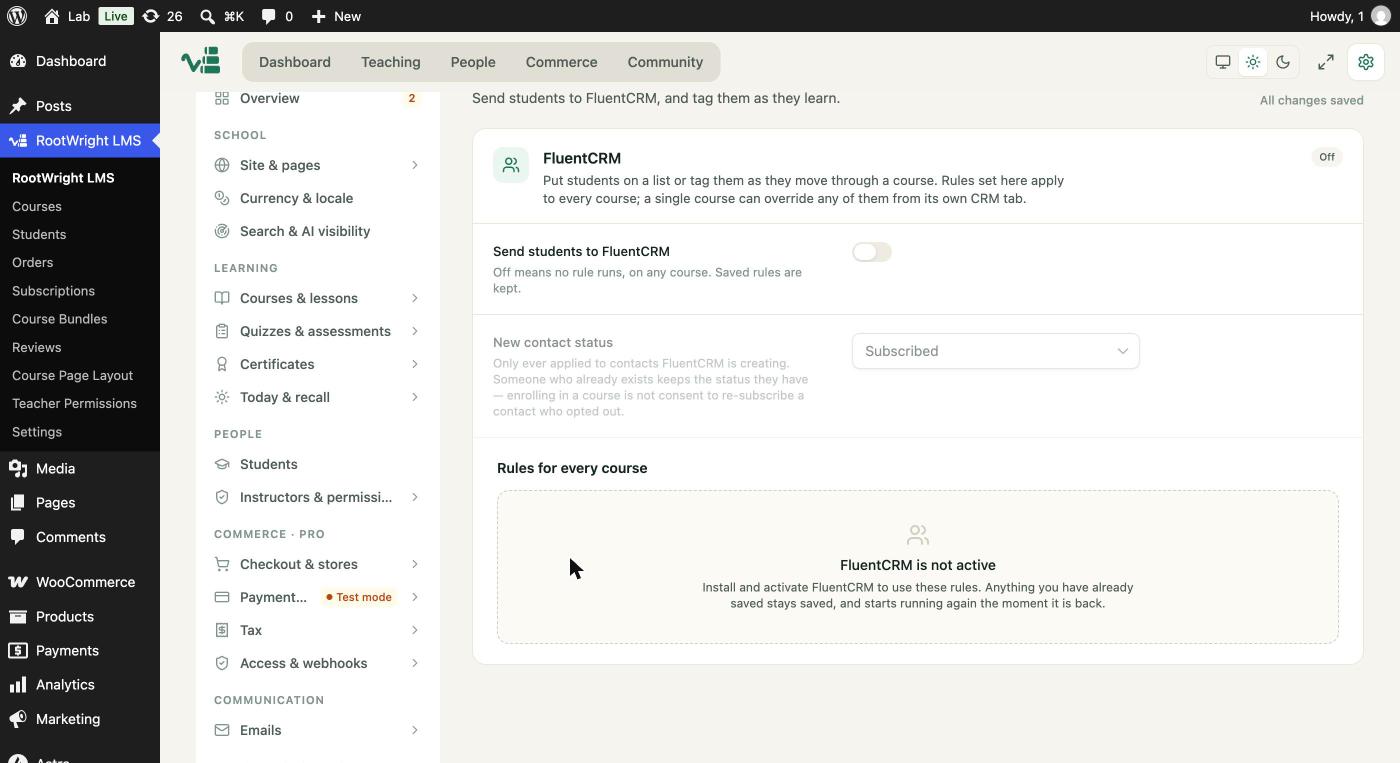
Settings → Integrations → CRM. The rules area reads "FluentCRM is not active" until the plugin is installed and active.
Set up the connection
- Install and activate FluentCRM - Marketing Automation For WordPress.
- In WordPress, go to Settings → Integrations → CRM.
- Switch on Send students to FluentCRM.
- Choose New contact status: Subscribed, Pending (double opt-in) or Unsubscribed. This applies only when FluentCRM creates a new contact.
- Under Rules for every course, add the rules that apply to all courses.
Rules
A rule maps an event to a list or tag in FluentCRM. The events are:
- Registered, enrolled, renewed, revoked, expiring and expired.
- Lesson completed, course completed.
- Quiz graded, assignment submitted and assignment graded.
- Certificate issued.
Grading events can require that the student passed. Each course can override the site-wide rules from its own CRM section in the course editor.
How contacts are treated
- A contact that already exists keeps its status. Enrolling someone does not re-subscribe a contact who opted out.
- Rules run only while Send students to FluentCRM is on. Saved rules are kept when it is off.
Messages you may see
- "FluentCRM is not active": the rules area shows this message until FluentCRM is installed and active. Anything you have already saved stays saved, and starts running again once FluentCRM is back.
Related
- FluentCart for selling courses through a store.