
How to connect an AI provider in RootWright LMS
AI features in RootWright LMS Pro run on a model from one provider that you choose and pay for. Nothing is sent to a provider until you turn AI on, and the switch is off by default.
Pro
AI features are part of RootWright LMS Pro.
Turn on AI
Go to RootWright LMS → Settings → Integrations → AI. The Connection panel shows Not configured until a key is saved.
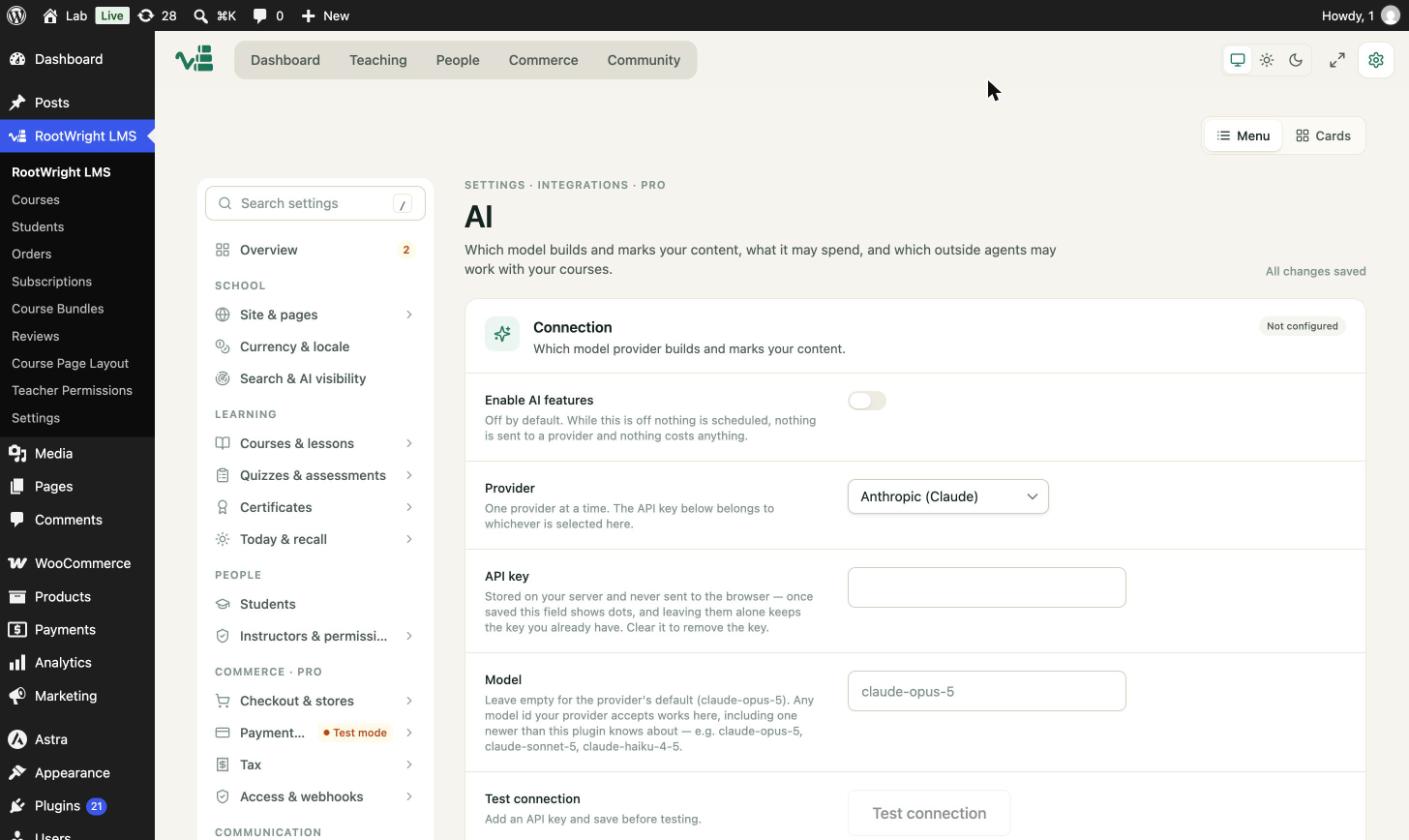
Off by default. While Enable AI features is off, nothing is scheduled and nothing is sent to a provider.
- Switch on Enable AI features.
- Choose a provider in Provider: Anthropic (Claude) (the default), OpenAI, Google Gemini, DeepSeek, Z.ai (GLM) or WordPress AI (Connectors). One provider is used at a time, and the API key belongs to whichever is selected.
- Paste your key into API key. The key is stored on your server and is never sent to the browser. Once saved, the field shows dots. Leave it alone to keep the key, or clear it to remove the key.
- In Model, leave the field empty to use the provider's default, or enter any model ID the provider accepts, including one newer than the plugin knows about.
- Click Test connection. It sends one tiny request to confirm the key works. Save the settings first, then test.
Model per feature
Under Model per feature, you can pick a different model for each kind of work: Course generation & improvement, Agent mode, AI chat & Ask AI, AI audit, Grading, and Learner insights & digests. Leave one empty to use the main Model. A cheaper model suits chat and audits, and a stronger one suits writing courses. Each provider keeps its own choices, so switching provider does not lose them.
For spending limits, automations, cover images, prompts and usage, see AI settings.
Where the key is used
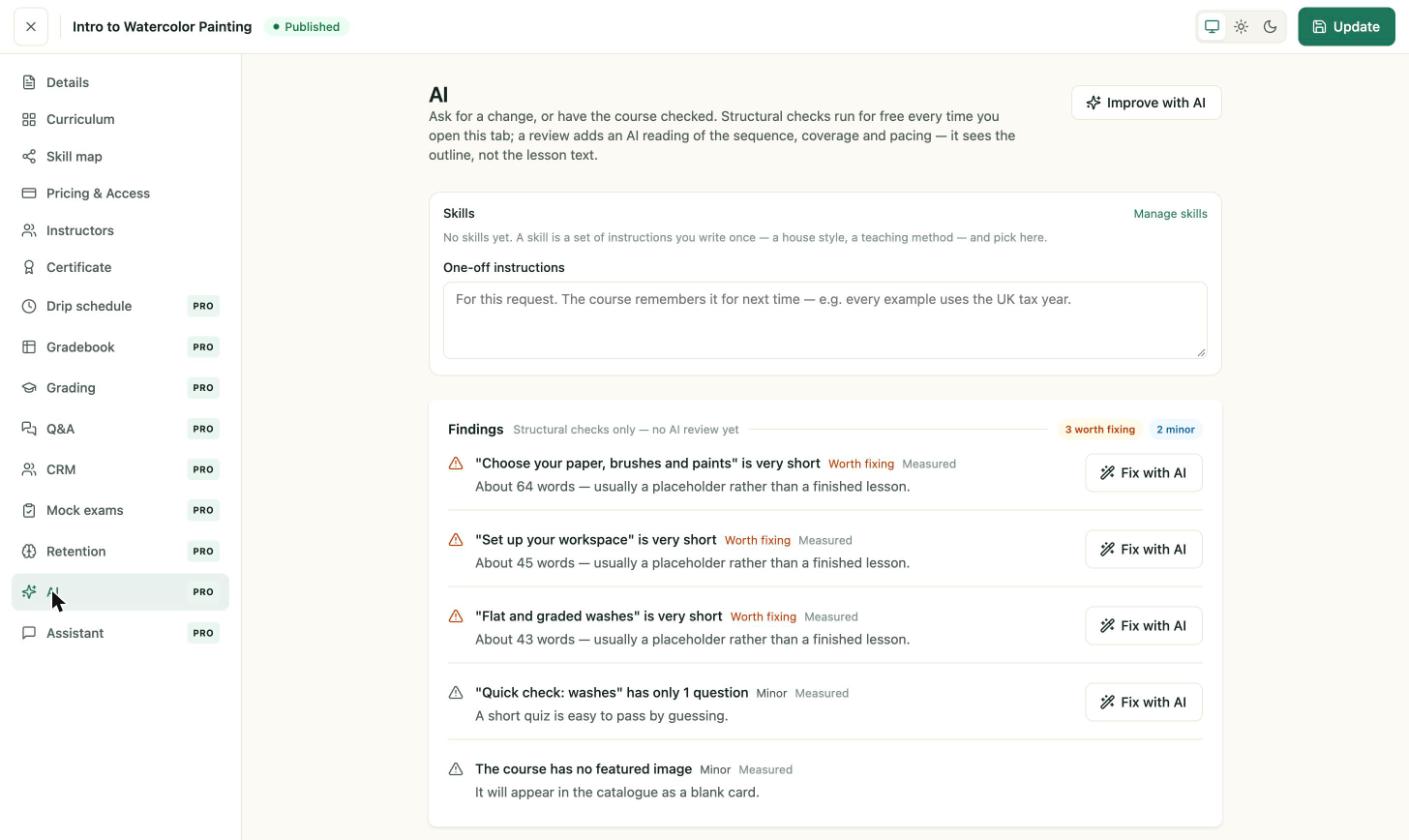
Course AI tools run from the course editor's AI audit and AI chat sections. AI audit checks the course for you and offers one-click fixes. See AI audit and AI chat. See Roles and permissions for who can use these tools.
Check the course structure for free
The AI section of a course runs structural checks every time you open it, with no AI call. Findings such as "is very short" flag lessons under about 70 words. A paid AI review is an extra request you start yourself.
Troubleshooting
- Test connection fails. Check the key, the model ID and that the provider account has credit.
- AI features are off. Turn on Enable AI features. Nothing runs while it is off.