
Performance settings in RootWright LMS
Settings → Performance controls how much work a student request and a protected download cost your server. It has two sections: Fast lane and File delivery.
Fast lane
The fast lane answers the busiest student requests before the rest of WordPress loads.
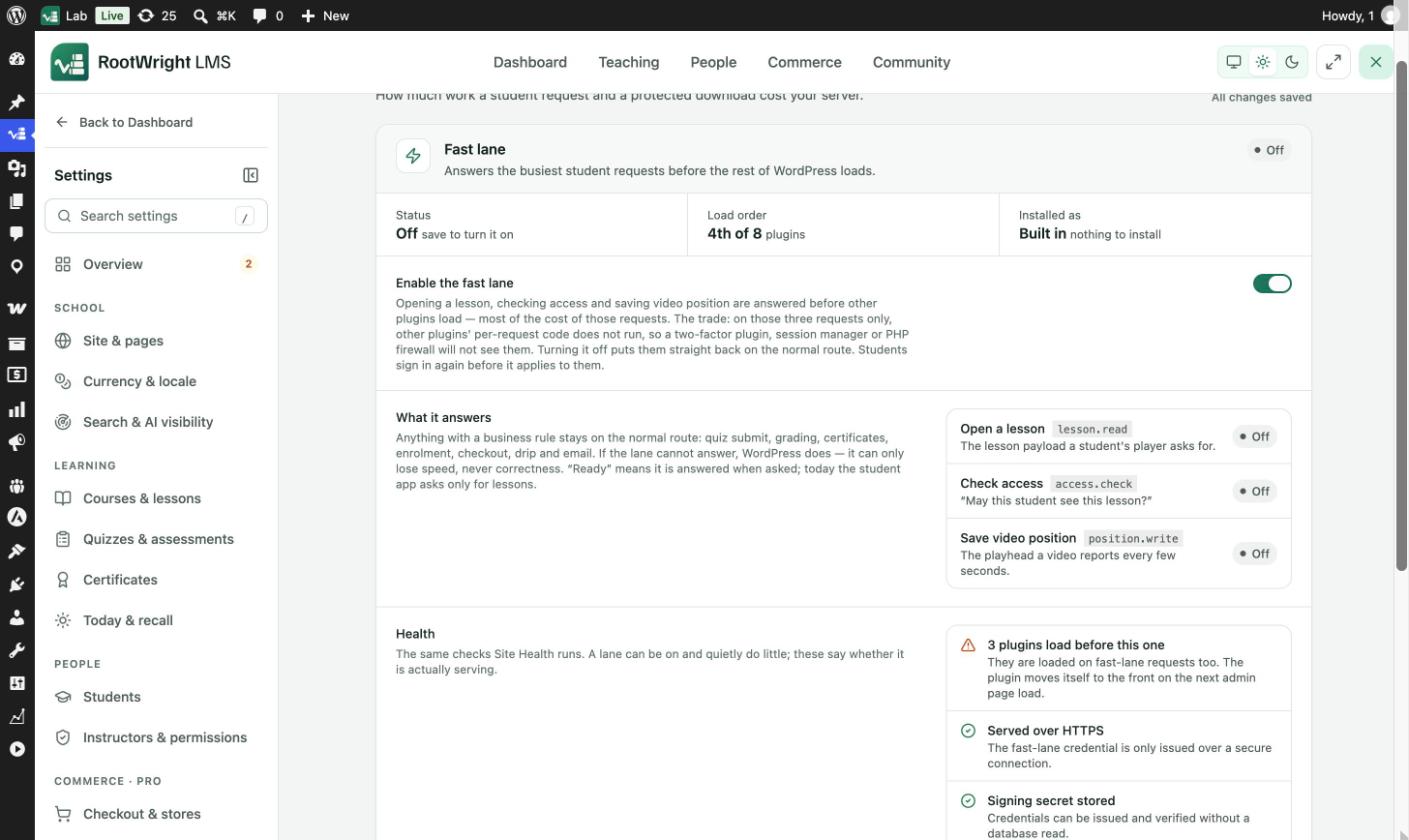
Settings → Performance → Fast lane. The status row shows whether it is on, the plugin load order, and how it is installed.
What it answers
| Request | What it is |
|---|---|
Open a lesson (lesson.read) | The lesson payload a student's player asks for. |
Check access (access.check) | "May this student see this lesson?" |
Save video position (position.write) | The playhead a video reports every few seconds. |
Anything with a business rule stays on the normal route: quiz submit, grading, certificates, enrolment, checkout, drip and email. If the lane cannot answer, WordPress does. It can only lose speed, never correctness.
Turn it on
- Go to Settings → Performance → Fast lane.
- Switch on Enable the fast lane.
- Save. The Status row changes from Off once it is saved.
Students sign in again before it applies to them.
What other plugins miss
On those three requests only, other plugins' per-request code does not run. A two-factor plugin, session manager or PHP firewall will not see them. Turning the fast lane off puts them straight back on the normal route.
Health
The Health list runs the same checks as Tools → Site Health. A lane can be on and quietly do little, and these checks say whether it is actually serving:
- How many plugins load before RootWright LMS. They load on fast-lane requests too. The plugin moves itself to the front on the next admin page load.
- Served over HTTPS. The fast-lane credential is only issued over a secure connection.
- Signing secret stored. Credentials can be issued and checked without a database read.
- Lesson payload is not changed by an add-on. If an add-on adds data to it, lesson reads take the normal route.
- Courses that use drip content always take the normal route. The fast lane cannot evaluate drip rules.
Turn it off from wp-config.php
For a support call, add this line to wp-config.php. It switches the lane off without touching the database:
define( 'ROOTWRIGHT_LMS_DISABLE_FAST_LANE', true );File delivery
How a protected file leaves the server once access is checked. This governs every protected file: course attachments, lesson resources, assignment submissions and certificate files.
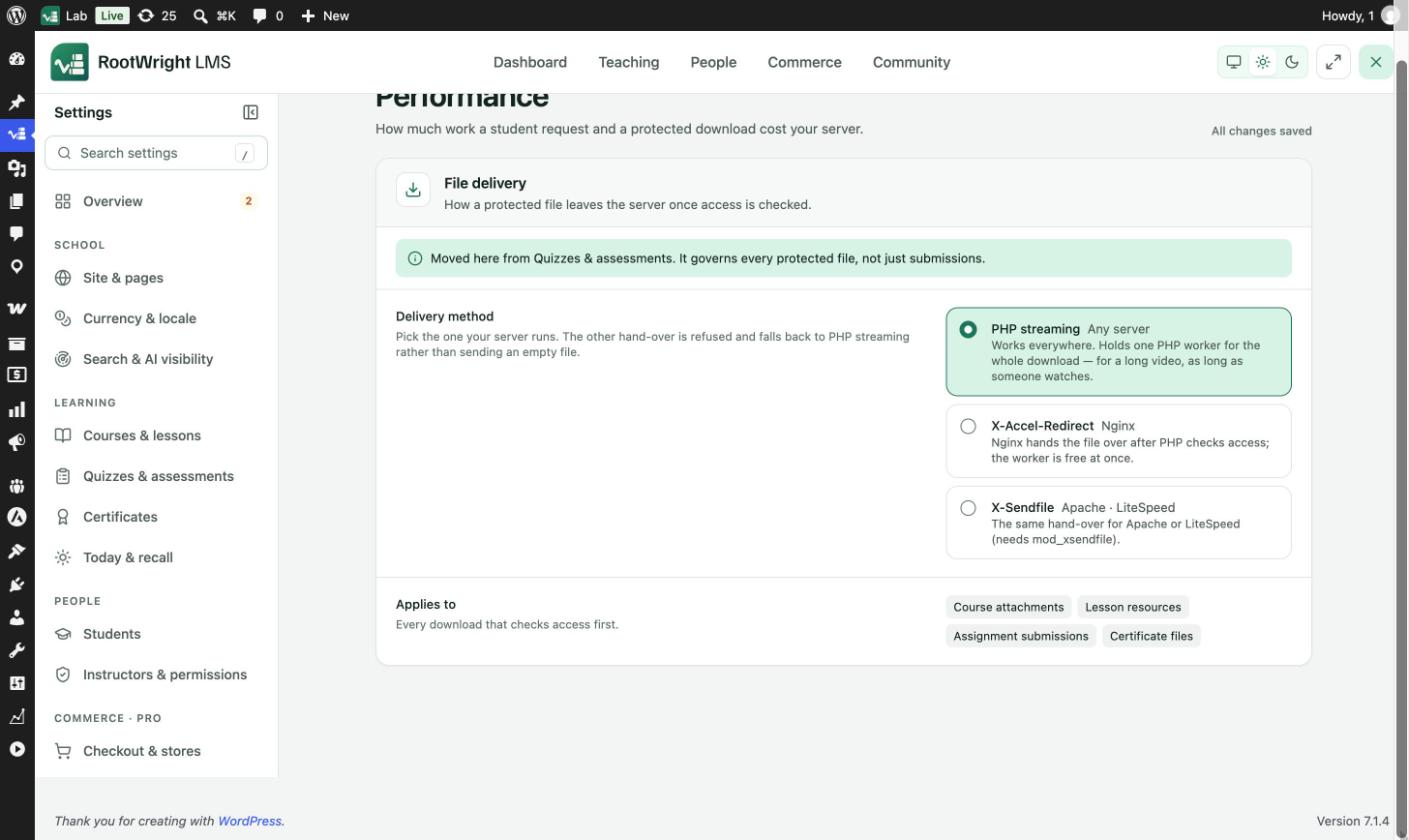
Settings → Performance → File delivery.
| Method | Server | How it works |
|---|---|---|
| PHP streaming | Any server | Works everywhere. Holds one PHP worker for the whole download, which for a long video is as long as someone watches. |
| X-Accel-Redirect | Nginx | Nginx hands the file over after PHP checks access. The worker is free at once. |
| X-Sendfile | Apache, LiteSpeed | The same hand-over for Apache or LiteSpeed. Needs mod_xsendfile. |
Pick the one your server runs. If the server refuses the hand-over, RootWright LMS falls back to PHP streaming rather than sending an empty file.
Related
- Privacy & security for download rate limits.
- Drip schedule