
Video hosting and storage in RootWright LMS
RootWright LMS Pro hosts lesson videos through a streaming provider. Three providers are available: Bunny.net, Cloudflare Stream and YouTube. Set them up under Settings → Integrations → Video & storage.
Pro
Video hosting is part of RootWright LMS Pro.
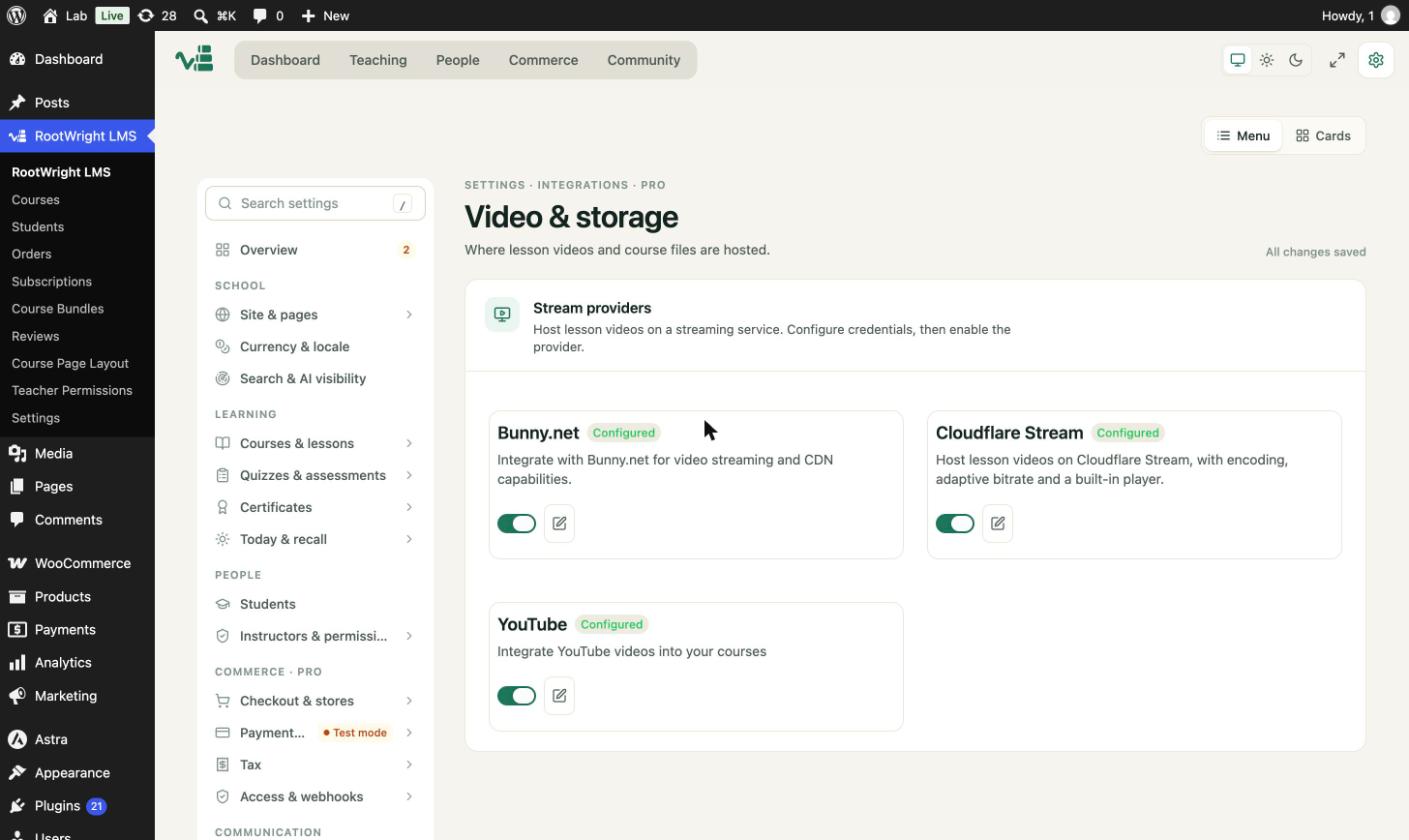
Video & storage lists the three providers. Each card shows its status and a switch to turn it on.
Choose a provider
Each provider card has an enable switch and an edit button. Set up the credentials first, then turn the switch on. A course can use a different provider from the site default. If no default is set, Bunny.net is used.
| Provider | Setup guide |
|---|---|
| Bunny.net | Bunny.net |
| Cloudflare Stream | Cloudflare Stream |
| YouTube | YouTube |
Playback and uploads
Under Playback & uploads:
- Max upload size defaults to 2000 MB. Set 0 to remove the plugin's own cap. PHP's upload limit still applies.
- Completion threshold defaults to 90%. A student has finished the video when they watch that share of it.
- Watermark videos adds the student's identity to the playing video. Off by default. You can show the email, the name, or the user ID, with a set opacity and how often it moves.
Accepted video formats are MP4, WebM, OGG and MOV.
Warning
Watermarks are not shown to guests, to YouTube videos, or to staff who can edit the course. Turn on watermarks only where the student identity matters, such as paid content.
File storage
The File storage page sets where course files, such as attachments and assignment uploads, are kept.
Three providers store files outside your server. Each has its own page:
Related
- Video with Caption lessons.
- Zoom and Google Meet for live classes.